No products in the cart.



Print Farm Fleet Manager — 3D Printer Fleet Management
Price range: from 299.000 VND to 499.000 VND
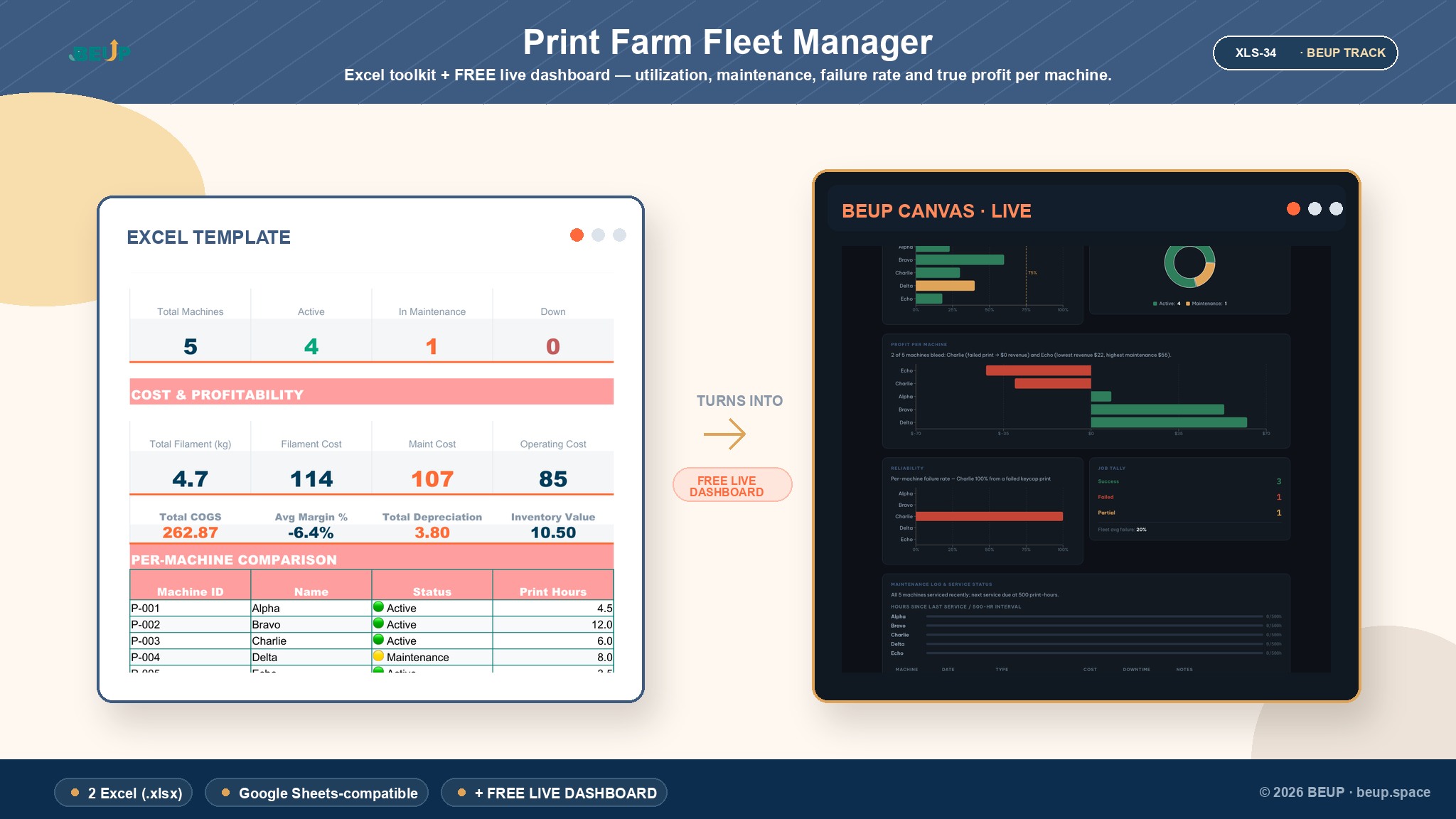
Excel/Google Sheets + BEUP Canvas cho xưởng in 3D nhiều máy: theo dõi hiệu suất đội máy, lợi nhuận thực từng máy, tỷ lệ in hỏng và lịch bảo trì. Workbook dùng để nhập và sở hữu dữ liệu; a BEUP Canvas live dashboard giúp xem sample KPI trước khi mua.
Sold: 0 items
👉 See the live dashboard demo to watch the file work before you buy.
Your printers run all day. But is the fleet actually profitable?
You have multiple 3D printers running almost non-stop, orders keep coming in, but at month end you are not sure which machines are actually making money. Once you add up filament, electricity, maintenance, downtime and failed prints, a fleet that looks busy can still be running at a loss.
Quản Lý Đội Máy In 3D là workbook Excel + Google Sheets cho xưởng in 3D nhiều máy. File giúp bạn nhìn rõ ba con số quyết định: hiệu suất đội máy so với mục tiêu, lợi nhuận thực từng máy, và máy nào sắp cần bảo trì. Đi kèm là BEUP Canvas live dashboard để xem demo KPI trên web trước khi mua.
Before and after
Before: Bạn thấy đội máy bận rộn nên yên tâm, nhưng không biết máy nào đang lỗ, máy nào sắp quá hạn bảo trì, và tỷ lệ in hỏng đang kéo biên lợi nhuận xuống bao nhiêu.
After: Mở dashboard là thấy ngay đội máy đang chạy bao nhiêu phần trăm công suất, máy nào cần bảo trì trước, và lợi nhuận ròng từng máy. Bạn biết nên dồn đơn vào máy nào, kiểm tra máy nào, và khi nào cần mua thêm thiết bị.
Up and running in 5 minutes
- Open the Sample version to see the system running with data for 5 machines.
- Enter your machine list into the Machine Registry sheet.
- Log print jobs and maintenance events into Print Job Log and Maintenance Log. The Fleet Dashboard calculates utilisation, cost and profit automatically.
What is inside and how it helps you
Excel / Google Sheets dashboard
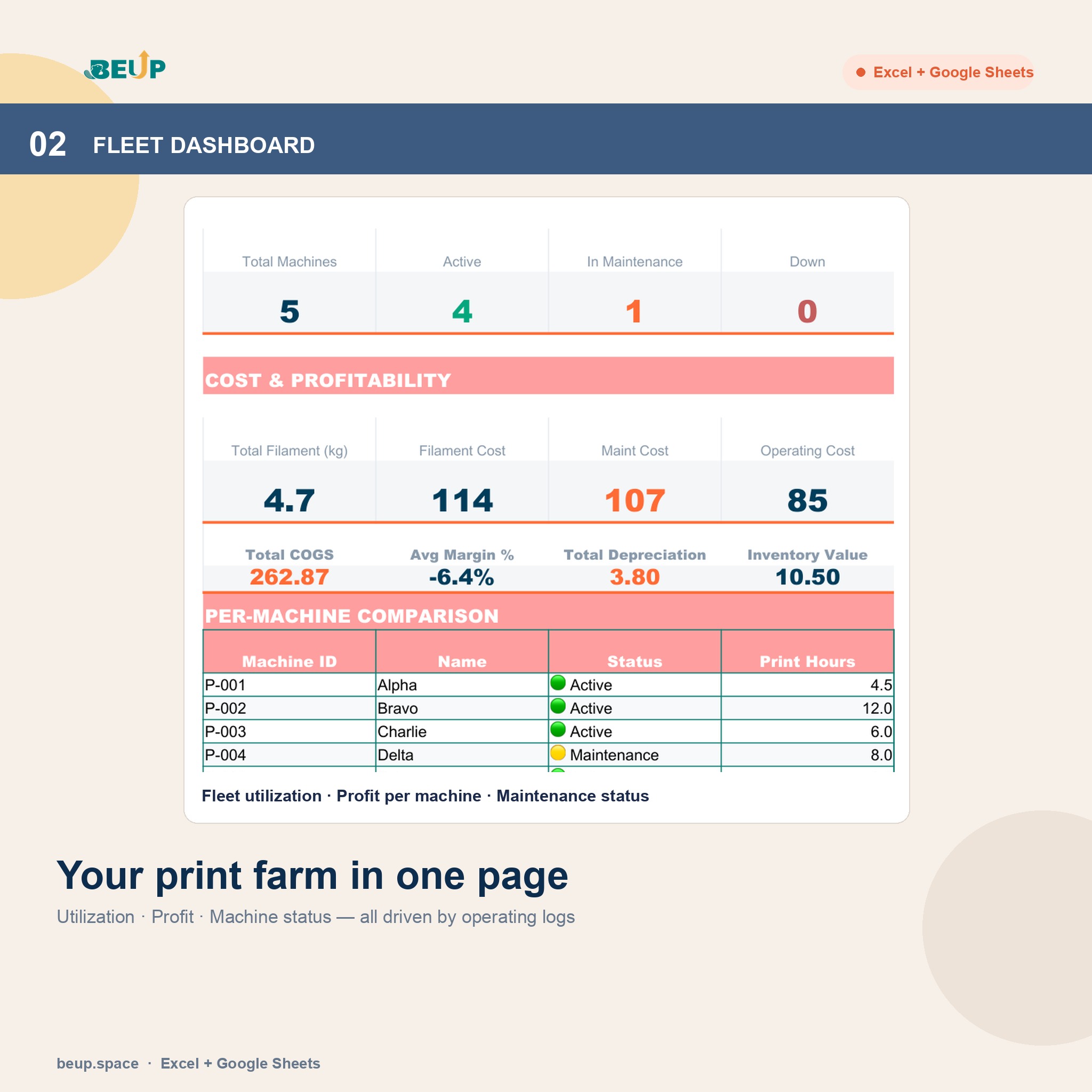
This is where you enter and own your operational data: machine list, print job log, maintenance log, filament consumption and inventory. The file works offline, can be copied, customised, backed up and used in the tools you already know.
a BEUP Canvas live dashboard
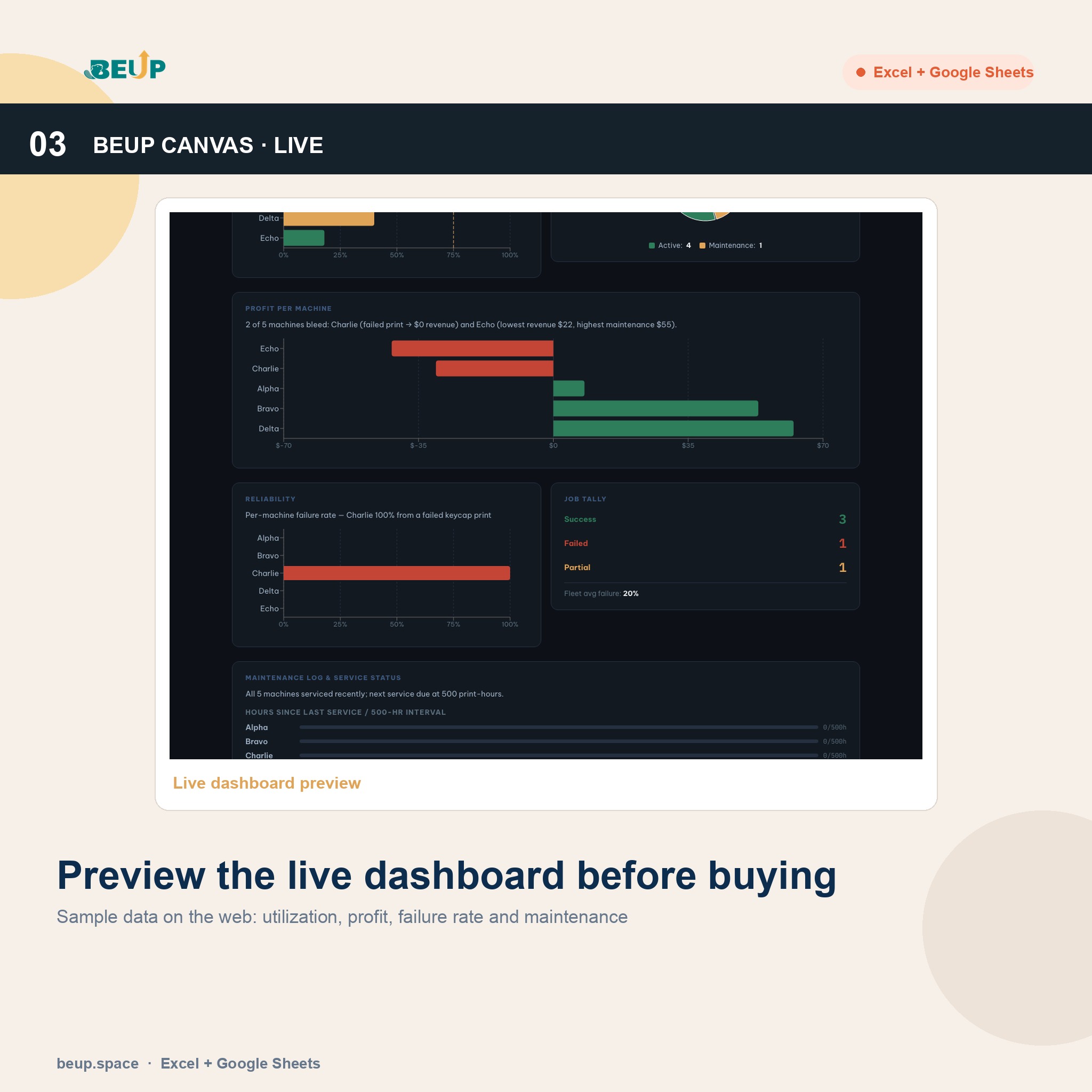
This is the web dashboard using sample data so you can preview KPIs, charts and how to read the numbers before you buy. Canvas makes it easy to present fleet performance, profit per machine, job quality and maintenance status without opening Excel on your phone.
- Fleet Dashboard: fleet-wide utilisation overview, utilisation target, revenue, net profit, machines under maintenance and failure rate.: tổng quan hiệu suất đội máy, mục tiêu sử dụng, doanh thu, lợi nhuận ròng, máy đang bảo trì và tỷ lệ in hỏng.
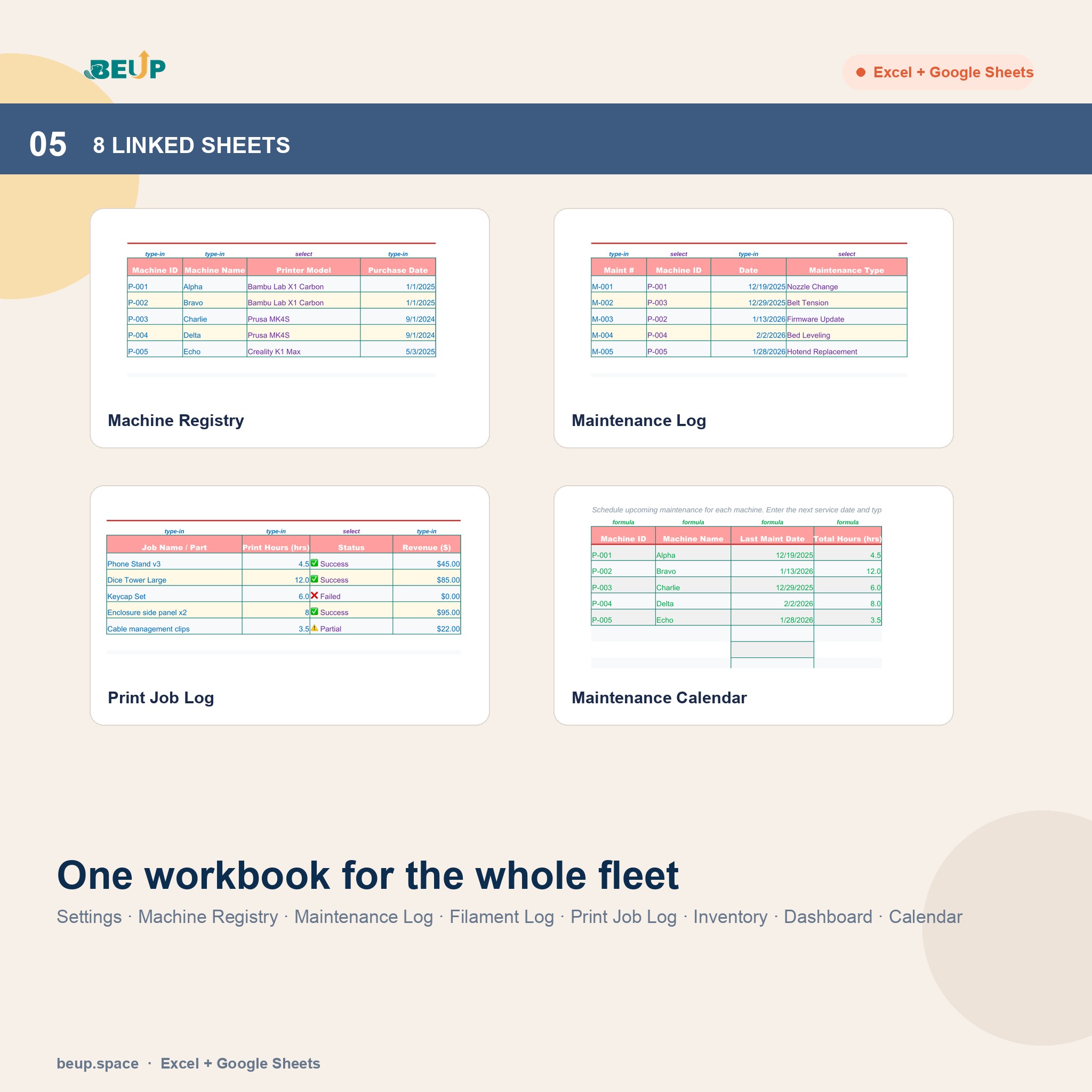
- Machine Registry: each machine's profile including model, purchase price, status, age and depreciation.: hồ sơ từng máy, model, giá mua, trạng thái, tuổi thọ và khấu hao.
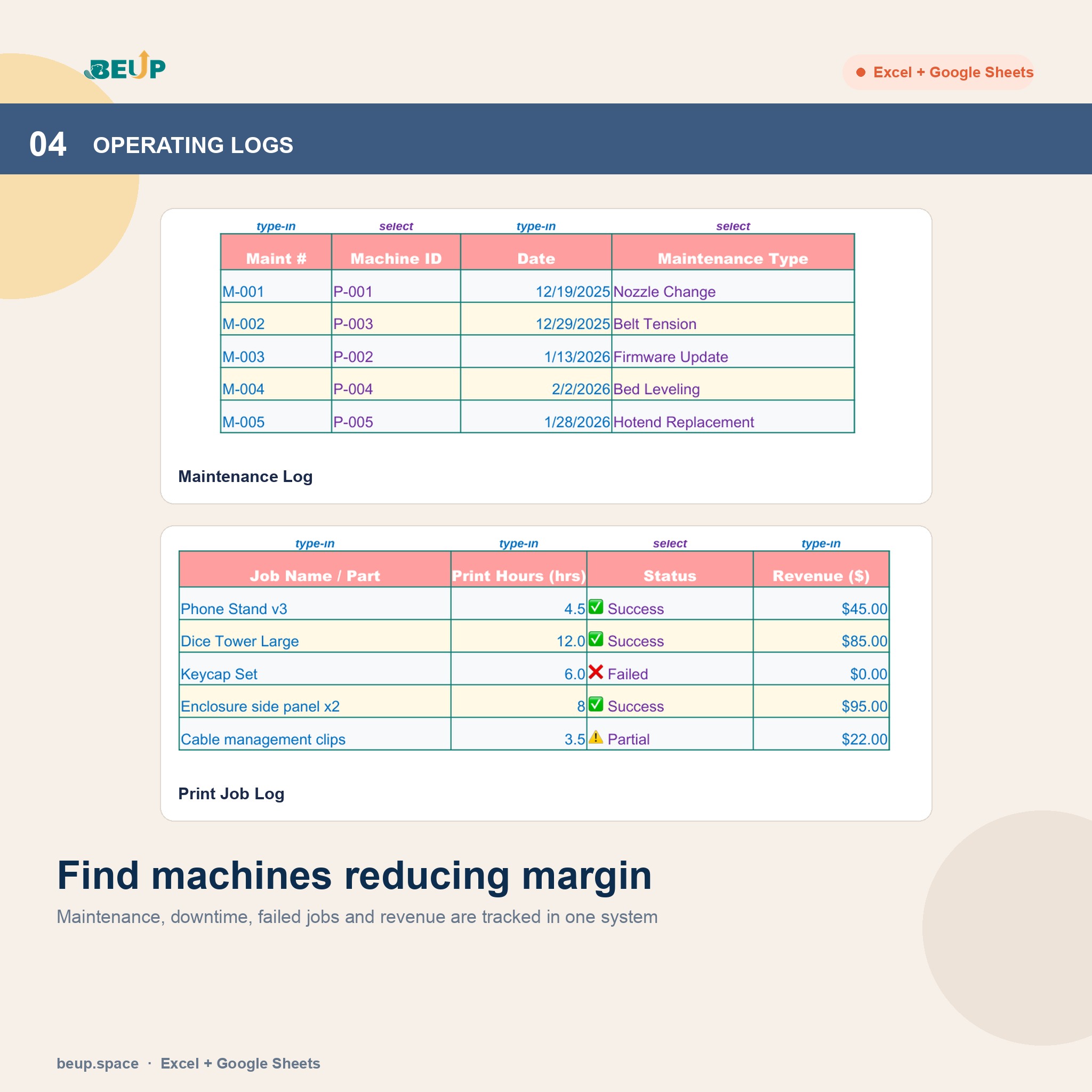
- Print Job Log: each job logged with revenue, machine used, and status: success, failed or partial.: ghi từng đơn in, doanh thu, máy chạy, trạng thái thành công / thất bại / một phần.
- Maintenance Log: each maintenance event logged with type, cost, downtime and technical notes.: ghi lần bảo trì, loại việc, chi phí, downtime và ghi chú kỹ thuật.
- Maint Calendar: see which machines are coming up for scheduled maintenance based on the cycles you set.: nhìn máy nào sắp đến hạn bảo trì theo chu kỳ bạn đặt.
- Filament Log and Filament Inventory: track filament used per job, current stock and reorder points.: theo dõi nhựa dùng cho đơn in, tồn vật tư và điểm đặt lại.
- Settings: set utilisation targets, maintenance cycles, operating costs and shared reference lists.: đặt mục tiêu utilization, chu kỳ bảo trì, chi phí vận hành và danh mục dùng chung.
- 8 linked sheets: Settings, Machine Registry, Maintenance Log, Filament Log, Print Job Log, Filament Inventory, Fleet Dashboard, Maint Calendar.: Settings, Machine Registry, Maintenance Log, Filament Log, Print Job Log, Filament Inventory, Fleet Dashboard, Maint Calendar.
Who it is for
- Chủ xưởng in 3D nhiều máy muốn biết máy nào lãi, máy nào lỗ để phân bổ đơn cho đúng.
- Maker studio / dịch vụ in theo đơn cần kiểm soát chi phí thật trước khi nhận đơn.
- Operations managers cần lịch bảo trì phòng ngừa thay vì sửa khi máy đã hỏng.
- Xưởng sản xuất nhỏ dùng in 3D nội bộ cần theo dõi công suất, downtime và chi phí phụ tùng.
Why you can trust it
- You can preview before you buy via the live BEUP Canvas demo at canvas.beup.space/print-farm-fleet-manager.
- The file includes a blank Template and a Sample with 5 machines, a print job log and a maintenance log so you can verify the numbers before committing.
- Available in two languages: Vietnamese and English. Choose at checkout.
- Runs on Excel and Google Sheets with no macros and no subscription required.
- You own the file permanently and can use it offline.
Frequently asked questions
Does BEUP Canvas replace the Excel file? No. Canvas is a web dashboard for previewing sample KPIs and presenting numbers quickly. The Excel or Google Sheets file is where you enter, store and own your operational data.
Is there an English version? Yes. Choose Vietnamese or English at checkout before you buy.
Does it work on older Excel or on a Mac? Yes. The file uses standard formulas and runs on Excel desktop and Google Sheets with no macros needed.
I am not good with formulas. Can I still use it? Yes. You just enter machines, print jobs and maintenance events. All utilisation, cost and profit numbers calculate on their own.
What currency does the file use? The sample data uses USD to match international 3D printing supply prices. You can switch to your own currency in the Settings sheet.
How do I receive the file after purchase? Download immediately after payment. If you choose Vietnamese, you receive the VI Template and VI Sample. If you choose English, you receive the EN Template and EN Sample.
Get started
- [Open the live BEUP Canvas demo](https://canvas.beup.space/print-farm-fleet-manager?demo=1), then choose your language and download the file to find out exactly where your 3D print farm is making money.
- Hỗ trợ qua email khi bạn cần hướng dẫn sử dụng.
Only logged in customers who have purchased this product may leave a review.
Related products
- Buy Now This product has multiple variants. The options may be chosen on the product page
- E-com Profit & Cashflow – Order Tracking & Financial Management | Excel Template0.00 out of 5Price range: from 499.000 VND to 799.000 VNDBuy Now This product has multiple variants. The options may be chosen on the product page
- FMCG Inventory & FEFO Tracker — Quản Lý Tồn Kho Hạn Sử Dụng0.00 out of 5Price range: from 299.000 VND to 499.000 VNDBuy Now This product has multiple variants. The options may be chosen on the product page
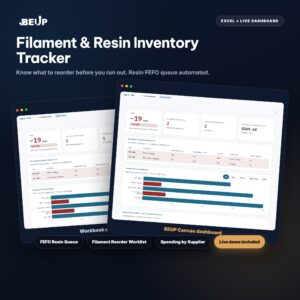
- Filament & Resin Inventory Tracker — Theo Dõi Tồn Kho Vật Liệu In 3D0.00 out of 5Price range: from 299.000 VND to 499.000 VNDBuy Now This product has multiple variants. The options may be chosen on the product page

A Digital Asset Ecosystem and Work Operating System for Individuals & Teams
SUPPORT
Copyright © 2026 BEUP Learning Solutions
MST: 3301755602
Reviews
There are no reviews yet.