No products in the cart.



Interior Fit-out Project OS Free — Interior Fit-out Project Management | Free Notion Template
Free
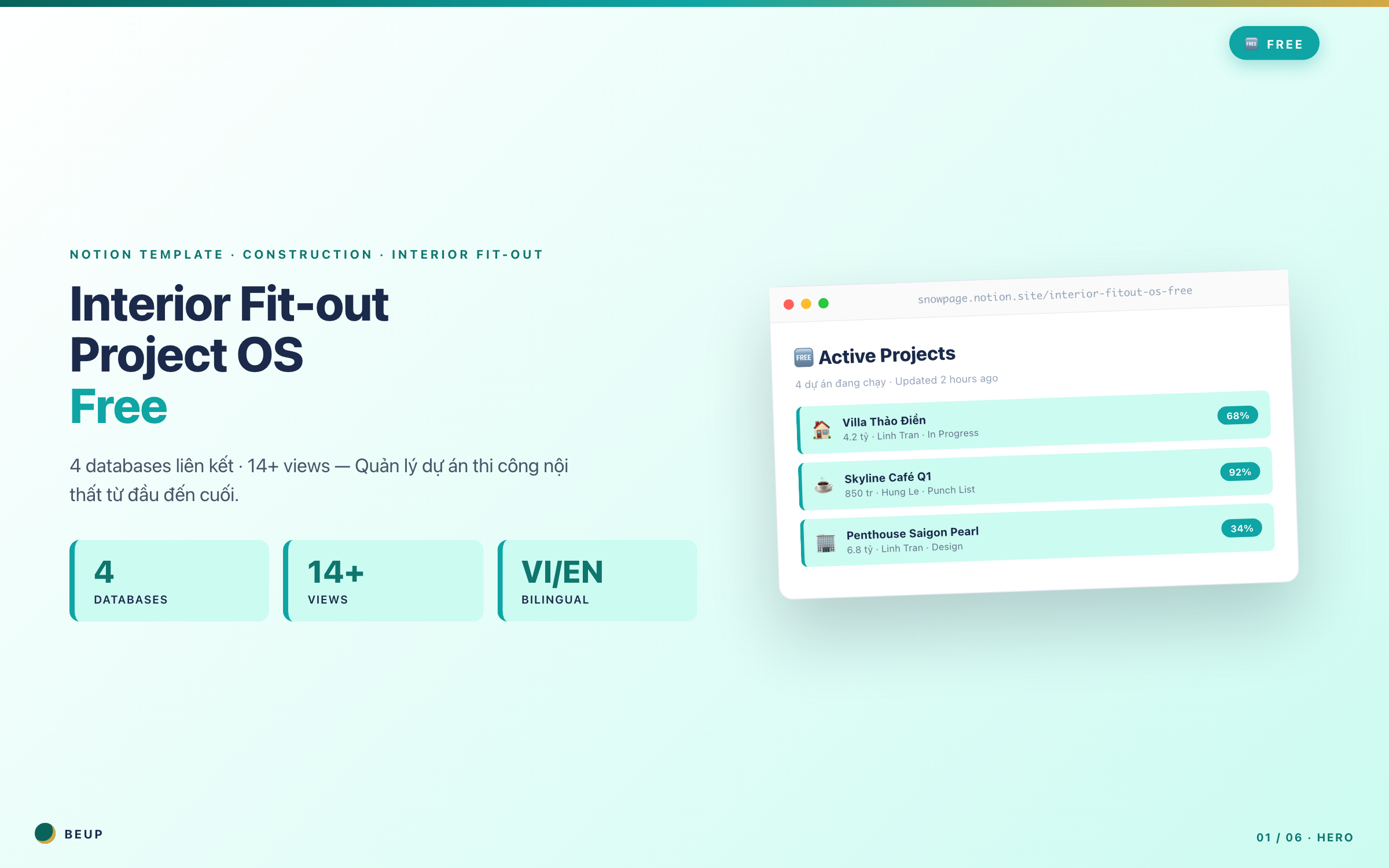
You just landed your first or second interior fit-out project. The client keeps pushing for updates, the supplier ghosted you for 3 days, and your spouse asks "what time tonight?" — your head is too full. You need one place where you can open it and instantly see: who's doing what, what was ordered, who still owes you money. This is the free Notion template I usually gift to freelance students — 4 linked databases, enough for 1-2 projects without going crazy. No tricks, no forced upsells. When you eventually need to track defects or payment milestones, move up to Lite (199k VND).
This is a free Notion template I often give to freelance students — 4 linked databases, enough for 1-2 projects without being messy. No trick, no forced upsell. When you need to add error tracking or payment milestones, upgrade to Lite for 199k.
Sold: 0 items
Category:
BEUP Brain
Monday morning 6:30.
You open Excel to check BOQ — can't remember if it's the new or old file. Open Zalo and message the NCC: “Chị Lan ơi, đơn ghế Italia hôm qua đặt rồi đúng không?” Wait 30 minutes. Customer email asks about bathroom progress — can't remember which payment installment.
Sounds familiar?
If you're managing 1-2 interior design projects with 5+ separate tools, this free template is for you. No paid Notion needed. No additional installation required. Click Duplicate to use.
MAIN FEATURES
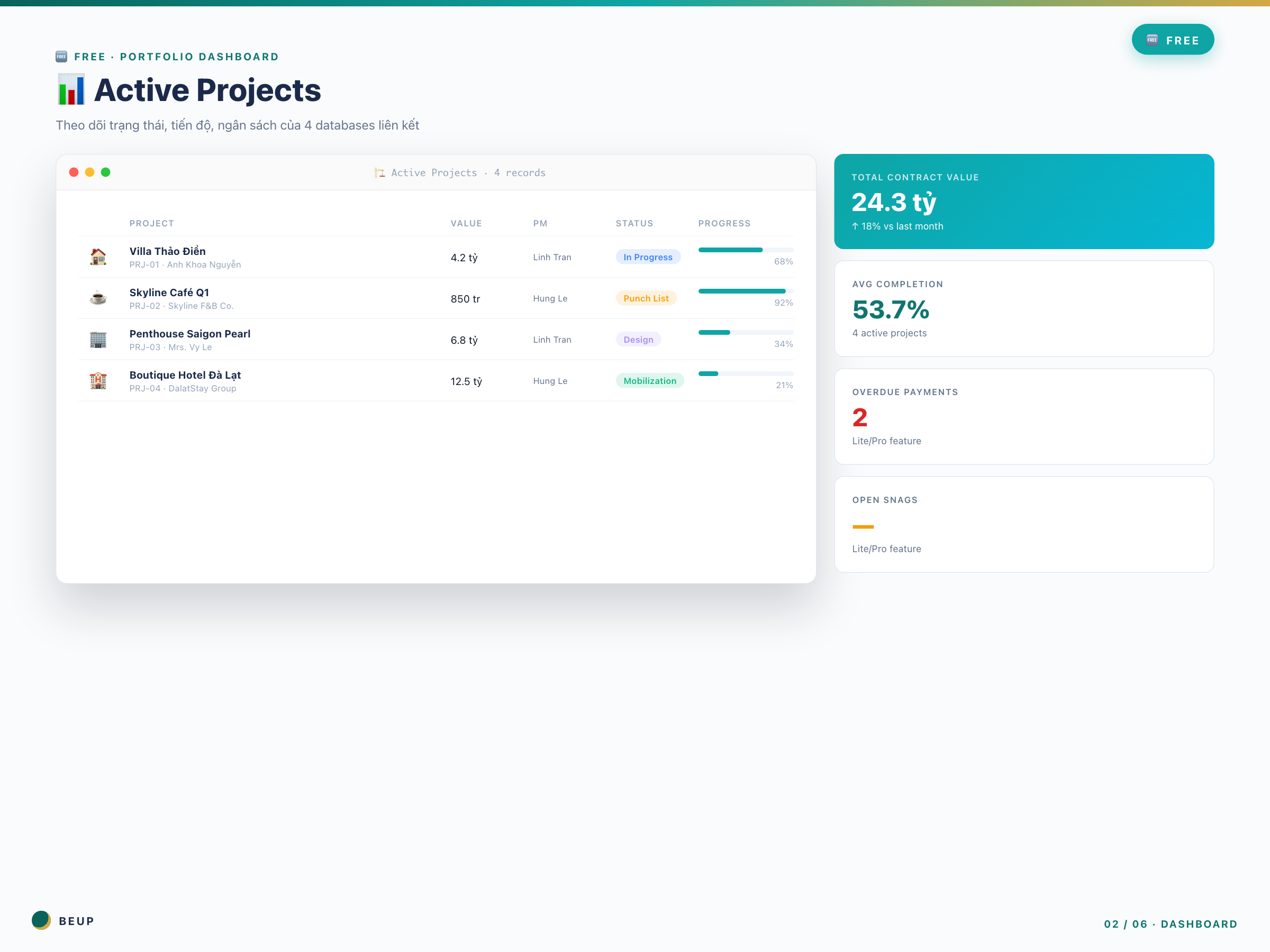
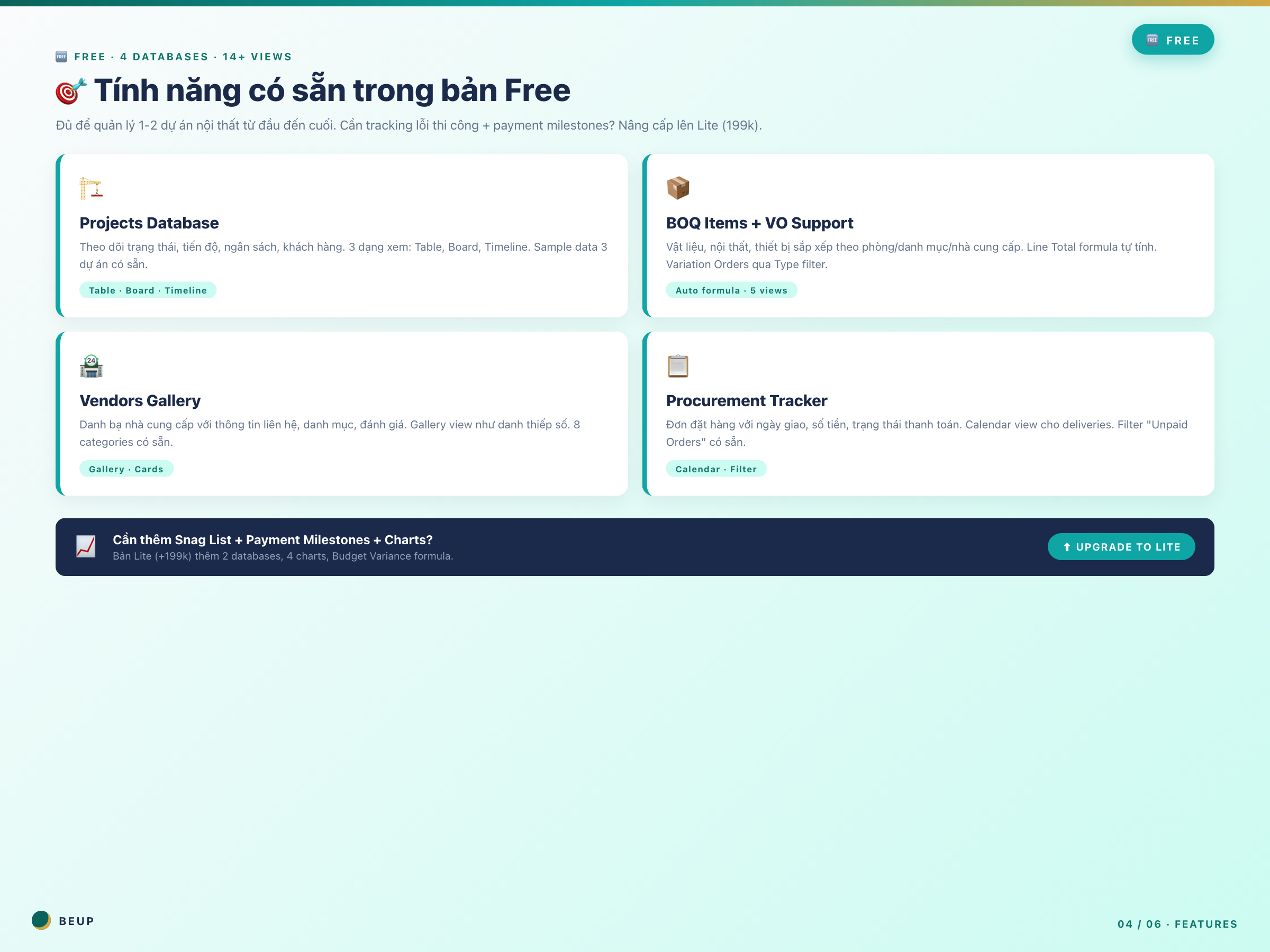
- 🏗️ Project list — Each line is a project. Status (Survey → Design → Construction → Handover), progress %, budget, deadline. Open and know exactly where you are. No need to scroll down to line 300 in Excel.
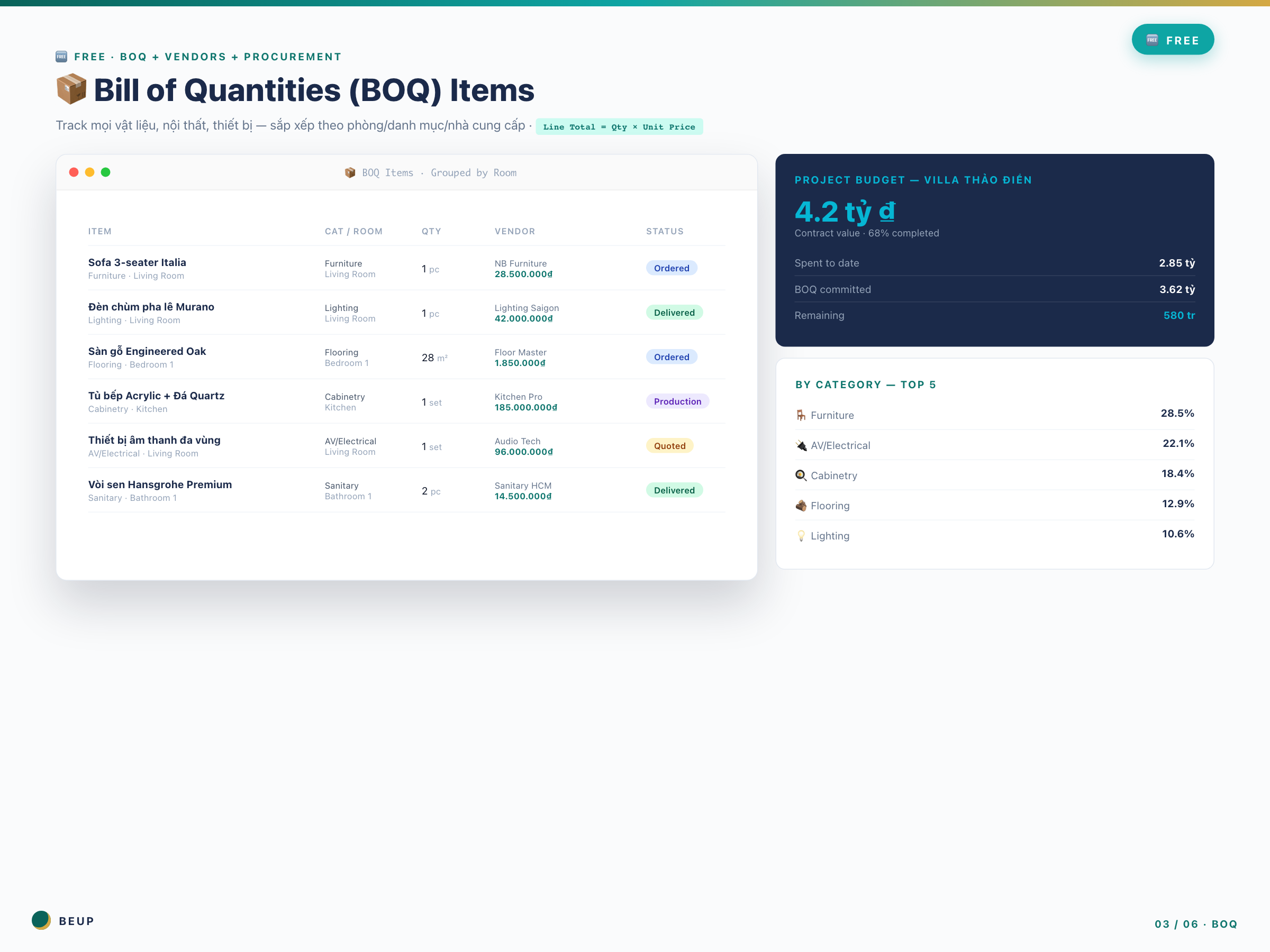
- 📦 BOQ — Bill of Materials — Sofa Italia, đèn chùm pha lê, tủ bếp Acrylic — nhập số lượng + đơn giá → tự cộng thành tiền. Lọc “Ai chưa thanh toán?” → ra ngay trong 2 giây. Có thay đổi scope (VO) thì gắn tag Type là xong.
- 🏪 Supplier Directory — Ms. Lan Italia furniture, Mr. Tuấn flooring, Mr. Hùng lighting. When you need to order lighting for a new project, open Gallery view, click on Mr. Hùng → get his phone number + previous review.
- 📋 Delivery Schedule + Payment — Calendar view: tuần này đèn về, tuần sau sofa về. Bộ lọc “Chưa thanh toán” để không quên trả tiền NCC. Đến 5/8/2026 thì biết phải có 80 triệu trong tay.
Works on the free Notion plan. Property names in English + Vietnamese guidance.
WHO IS THIS FOR?
Freelance Designer — You've just received your first or second project. You don't want to invest in a $50/month paid tool for something you're not sure will work.
Studio of 1-3 people — You and 1-2 colleagues are using Excel, each with their own file. Last week, Mr. A updated the BOQ file on his computer, while Ms. B was still using the old file on her machine. This is the third time this month.
Personal Quantity Surveyor (QS) — You need to track BOQ + procurement, without a complicated dashboard.
Architecture/Interior Design Student — Want to learn how to manage a real project before graduating. This is how real contractors actually work.
Suitable size: 1-2 dự án đồng thời, ngân sách < 2 tỷ/dự án.
Not suitable if: you are managing 3+ projects (Lite 199k is a better investment) or need to track construction errors before handover (need Snag List in Lite).
WHAT'S INCLUDED?
- 1 Notion workspace, click Duplicate to copy to your machine
- 4 linked databases: Project · BOQ · NCC · Procurement
- 14+ available views: Table, Board, Calendar, Gallery, Timeline — no need to set up
- Realistic sample data: 3 projects (Villa Thảo Điền, Skyline Café, Penthouse Saigon Pearl) with 8 categories
- Hub page with Quick Navigation — know what to open at a glance
- User Guide in Vietnamese — no need to watch 30-minute YouTube videos
- Bilingual: property names in English (for teams with foreigners), Vietnamese instructions
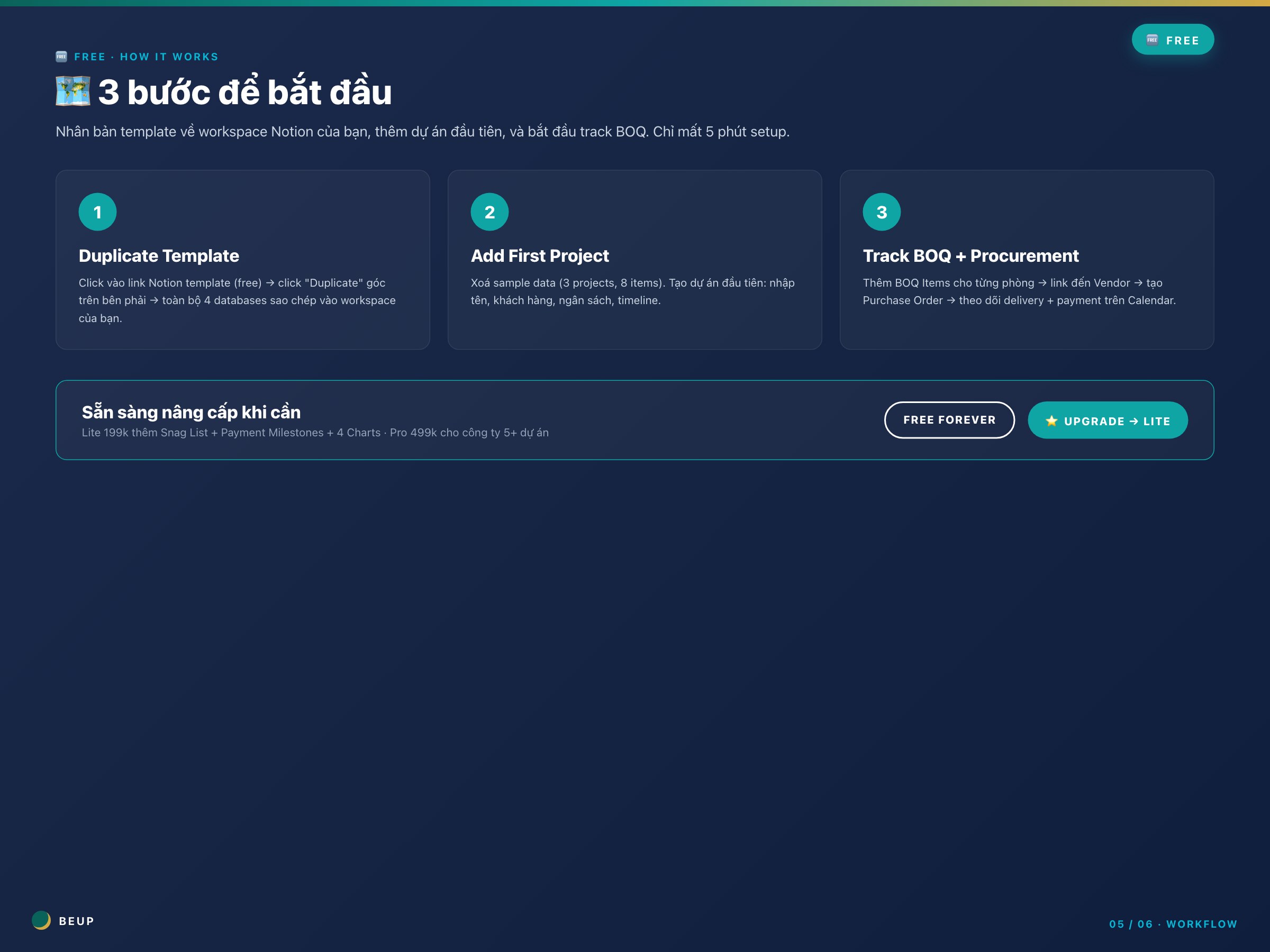
HOW IT WORKS
- Click link Notion bên dưới → nút “Duplicate” góc phải trên. Your entire workspace template in 10 seconds.
- Delete 3 sample projects — select each row → Delete. Or keep to learn the structure.
- Create the first real project — Nhập tên (vd “Villa Anh Khoa Q2”), khách hàng, ngân sách, deadline.
- Add BOQ Items by room — Each material links to Project + Vendor. Line Total calculates automatically. No need for SUM(A:A) or anything.
- Create Purchase Order when ordering — Link to Vendor + Project. Set delivery date + payment date. Calendar updates automatically.
- Open Hub page every morning — Xem “Unpaid Orders”, “Upcoming Deliveries”. 2 phút là biết hôm nay cần làm gì.
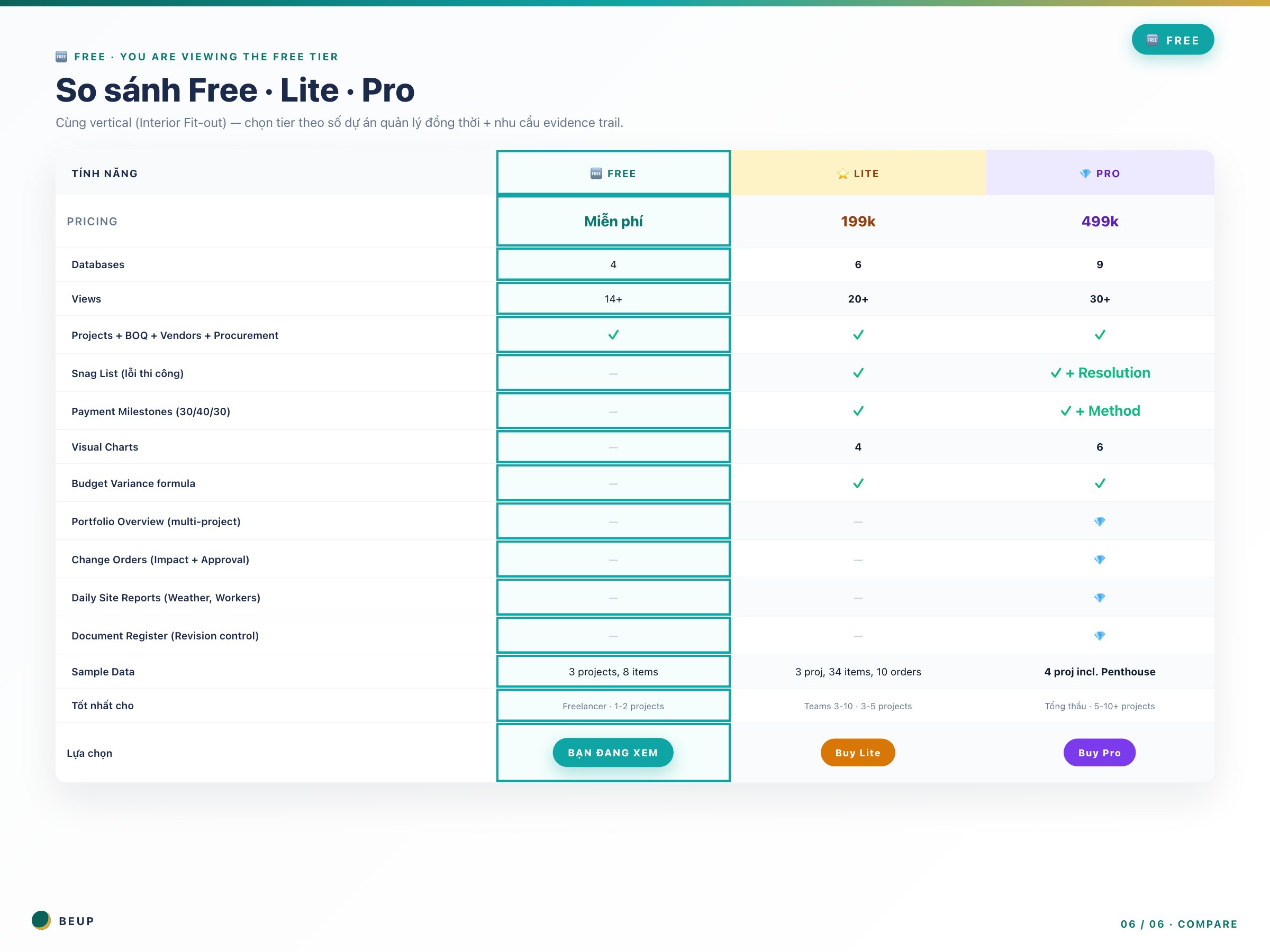
COMPARE FREE vs LITE vs PRO
The system has 3 versions — choose by number of projects + evidence trail needs:
| What do you need? | 🆓 Free (this) | ⭐ Lite (199k) | 💎 Pro (499k) |
|---|---|---|---|
| Track 1-2 projects | ✓ Done | It's okay | Fee |
| Track 3-5 projects simultaneously | Get started now | ✓ Correct tier | A bit too much |
| Track 5-10+ projects | ✗ | Chưa đủ | ✓ Correct tier |
| Record construction errors (Snag List) | — | ✓ | ✓ + Overdue |
| Track payment 30/40/30 | — | ✓ | ✓ + Method |
| Visual charts (Bar + Donut) | — | 4 charts | 6 charts |
| Budget Variance auto-calc | — | ✓ | ✓ |
| Multi-project Portfolio dashboard | — | — | 💎 PRO |
| Change Orders với approval | — | — | 💎 PRO |
| Daily Site Reports (evidence) | — | — | 💎 PRO |
| Document Register (revision) | — | — | 💎 PRO |
Need more features?
- ⭐ Lite (199k) — Add Snag List + Payment Milestones + 4 charts + Budget Variance. View Lite version →
- 💎 Pro (499k) — Add Portfolio Overview + Change Orders + Daily Reports + Document Register for 5-10+ projects. View Pro version →
SYSTEM REQUIREMENTS
- Minimum: Notion account (gói Free đủ dùng), trình duyệt Chrome/Edge/Safari/Firefox bản mới.
- Recommended: Notion app desktop cho UX mượt; Notion mobile app cho team trên công trường.
- No need for: Notion Plus/Business/Enterprise. Không cần plugin nào ngoài.
CÂU HỎI HAY ĐƯỢC HỎI
Notion miễn phí xài được hết tính năng template không?
Được hết. Databases, relations, formulas, views — Notion mở miễn phí từ 2023. Bạn không cần đăng ký gì thêm.
Mình có thể tùy chỉnh thoải mái không?
Hoàn toàn được. Đổi tên property, thêm cột mới, sửa view filter — y như bạn tạo template từ đầu. Khi quen rồi, bạn sẽ thấy template này chỉ là điểm xuất phát.
Property tiếng Anh có khó dùng không?
Không. “Project Name” thì bạn biết là tên dự án rồi. Cộng thêm User Guide có giải thích từng cột bằng tiếng Việt. Đổi sang tiếng Việt cũng được — click vào tên property → đổi tên.
Khi nào thì nên nâng cấp lên Lite?
3 dấu hiệu: (1) Bạn quên đợt thanh toán nào đó của 1 dự án (cần Payment Milestones). (2) Khách giận vì bạn không track lỗi thi công trước bàn giao (cần Snag List). (3) Bạn quản lý 3+ dự án và mở Free template thấy bị quá tải dữ liệu.
Khác gì với Excel + Google Sheets miễn phí?
Notion có relations — khi bạn click vào 1 BOQ item, nó hiển thị Project + Vendor cùng lúc. Excel không làm được điều này dễ dàng. Notion cũng có Calendar/Gallery/Board view trực quan hơn pivot table.
Only logged in customers who have purchased this product may leave a review.
Related products
- Buy Now This product has multiple variants. The options may be chosen on the product page

A Digital Asset Ecosystem and Work Operating System for Individuals & Teams
SUPPORT
Copyright © 2026 BEUP Learning Solutions
MST: 3301755602
Reviews
There are no reviews yet.