No products in the cart.



9 min read
Mr. Tuan took on a 500 million VND project for an apartment in Binh Duong. The clients were a young couple, requesting full interior furnishing: kitchen cabinets, TV shelves, bedroom wardrobes and beds, a desk, and gypsum ceilings. His team — 8 people — had completed dozens of similar projects. He confidently quoted the price, signed the contract, and started the work.
The first week went smoothly. The second week, the client wanted to change the kitchen cabinet wood color — from laminate to natural oak veneer. “It’s just a small difference, sir,” the client said. The third week, they wanted to add built-in shelves in the living room that weren't in the original drawing. The fourth week, the electrician reported that the in-wall water pipes were in the wrong position and had to be torn out and redone. Every change was “small,” every new development “insignificant.”
After 7 weeks, the project was completed. The clients were satisfied. The team received their pay. Mr. Tuan sat down with his calculator, opening his records — a notebook, a few Zalo messages, and his memory. He added up the numbers three times. Each time, he got a different figure. That familiar feeling returned: not knowing how much profit or loss he made.
If you are reading this and see yourself in the story above, you are not alone. This is the reality for most small interior contractors in Vietnam — people who are skilled in their craft, good at managing people, but lack a system to managing interior construction costs clearly.
Notable Figures
In this article
Most small interior contractors have an estimate. The problem isn't the lack of one, but that the estimate is merely a round figure. Kitchen cabinets: 80 million. Wooden flooring: 60 million. Gypsum ceiling: 35 million. Total: 430 million. Contract signed for 500 million. Profit: 70 million. Clear, simple.
But of that 80 million for kitchen cabinets, how much is for wood? How much for accessories (hinges, drawer slides, handles)? How much for labor? How much for transportation? When a client requests a change from laminate to natural oak veneer, you know it's more expensive — but how much more expensive? exactly how much? 5 million? 12 million? 20 million? If you can't break it down, you can't answer.
And this is what happens in reality: you nod in agreement to material changes to keep the client happy. You absorb the difference into your profit because you have no basis for negotiation. Your profit shrinks without you realizing it, until you recalculate at the end of the project.
“An estimate that isn't detailed isn't an estimate — it's an approximation. And an approximation doesn't protect your profit.”
The way interior construction cost estimation common today is like driving without a speedometer: you know you're moving, but you don't know if you're going fast or slow, safely or dangerously.
In interior construction, unforeseen issues are unavoidable. Clients change their minds. Architects adjust drawings. Material prices increase. In-wall pipes are in the wrong position. That's the nature of the work. The problem isn't that these issues occur — but that no one documents it.
Why don't contractors record it? Because of relationship pressure. A client says, “just add a small shelf, it's simple” — you hesitate to say, “sure, but it'll cost extra.” You want to maintain harmony and the relationship to get referred for the next project. And each time you “add something small,” your profit drops by 3–5 million.
5 small changes × 5–10 million each time = 25–50 million in additional costs. On a 500 million project with an expected profit of 70 million, that's 1/3 to 2/3 of your profit. And you only realize this figure when it's too late to do anything about it.
Actual situationsAt the end of the project, the client receives the final invoice and asks: “Why is it 45 million higher than the initial quote?” You know the answer — because they changed materials, added items, requested design modifications. But you don't have a comparison table of the original estimate vs. actuals to prove it. The negotiation turns into an argument, and sometimes you have to reduce the price to retain the client.
The act of tracking construction variations not to make things complicated, but to protect you. When every change is recorded and billed immediately, you have a basis to tell the client: “Here’s what has changed, and here’s the corresponding cost.” Professional, transparent, and no one feels put on the spot.
Estimates and variations are about total costs. But there's another problem that many contractors don't consider until they run into trouble: construction cash flow — meaning money in and money out at each point in time.
Imagine this: Mr. Tuan advances 150 million to buy initial materials for a project. The client makes an advance payment of 100 million. He's currently 50 million in the red. Mid-project, an additional 80 million is needed to buy supplementary materials and pay workers' wages. The client's next payment installment isn't due yet. Where does the money come from?
The common answer: take it from personal funds, or from an advance payment for another project. This is a dangerous spiral many contractors fall into: using funds from project A to cover project B, then using funds from project C to pay back project A. Everything seems fine until one project's payment is delayed — and the entire system collapses.
“Small contractors don't go bankrupt because of losses. They go bankrupt because they run out of cash.”
When you have a clear spreadsheet construction cash flow — recording every income from clients and every expense for materials, labor, and accessories — you know exactly whether the project is in the black or in the red at any given time. You know when to request the next payment installment. You don't need to borrow money from other projects to cover shortfalls.
You might be thinking: “If cost management is so important, why not use professional software?” A valid question. And the answer is very practical.
Professional software for construction cost management like MS Project, Primavera, or Vietnamese SaaS apps are usually designed for large general contractors — companies with 50–200 employees, running projects from 10 billion VND upwards. License fees range from several million to tens of millions VND per year. They require several weeks of training. And most importantly: can your crew actually use them?
For a construction team of 3–15 people, running 2–5 projects concurrently, Excel can meet 90% of their needs managing interior construction costs if the file is built correctly:
| Criteria | Specialized Software | Structured Excel |
|---|---|---|
| Cost | 2–20 million/year | 0đ (or one-time) |
| Training | A few weeks | Everyone knows how to use it |
| Share with the team | Requires account/app | Send via Zalo, open on phone |
| Customization | Subject to the fixed template | Freely add/remove items |
| Suitable for scale | Projects >5 billion | 100 million – 2 billion VND |
Key conditionExcel for construction management is only effective if the file has linked formulas between different sections — estimates, variances, and cash flow. When you input a material change, the total estimate, variance, and cash flow must update simultaneously. If it's just a table of disconnected entries, then Excel is no different from a notebook.
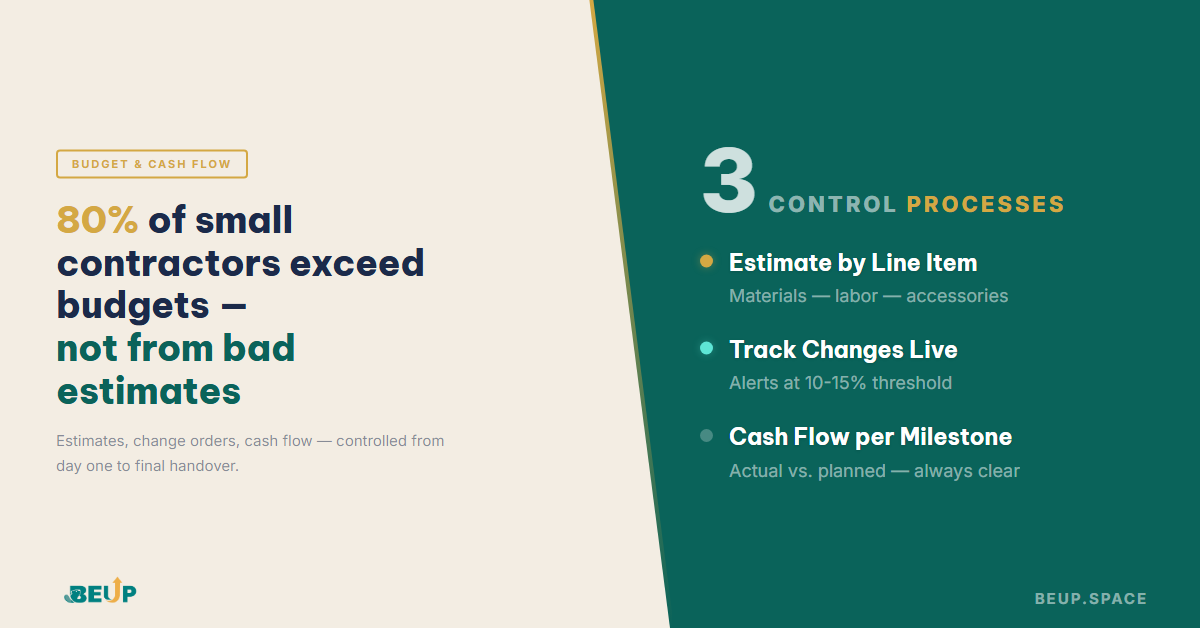
Regardless of the tool you use — Excel, Google Sheets, or any application — there are 3 processes that every interior contractor needs to shift from “keeping in their head” to “recording in a system” if they truly want to control construction costs.
Each construction item needs to be broken down into specific line items. For example, for kitchen cabinets:
Total kitchen cabinets: 20,500,000đ — this figure is far more precise than “kitchen cabinets: 20 million” because you know the exact cost of each component. If a client wants to change the countertop from engineered stone to real granite, you can immediately calculate the difference: 4.5 million → 8.2 million = an increase of 3.7 million.
Each time there's a change from the original estimate, record it immediately in the variations log: what item, why, who requested it, and the cost difference. The system automatically aggregates and alerts when the total incurred changes exceed the allowed threshold (typically 10–15% of the total estimate).
“Incurred changes aren't scary. What's scary are incurred changes where no one knows the total impact until the project ends.”
Record every payment received from clients (advances, installment 1, installment 2, final settlement) and every expenditure (material purchases, labor payments, accessories, transportation). Compare this with the initial revenue and expenditure plan — to know if the project is in the black or in the red. at any given time during the construction process, there's no need to wait until completion to calculate.
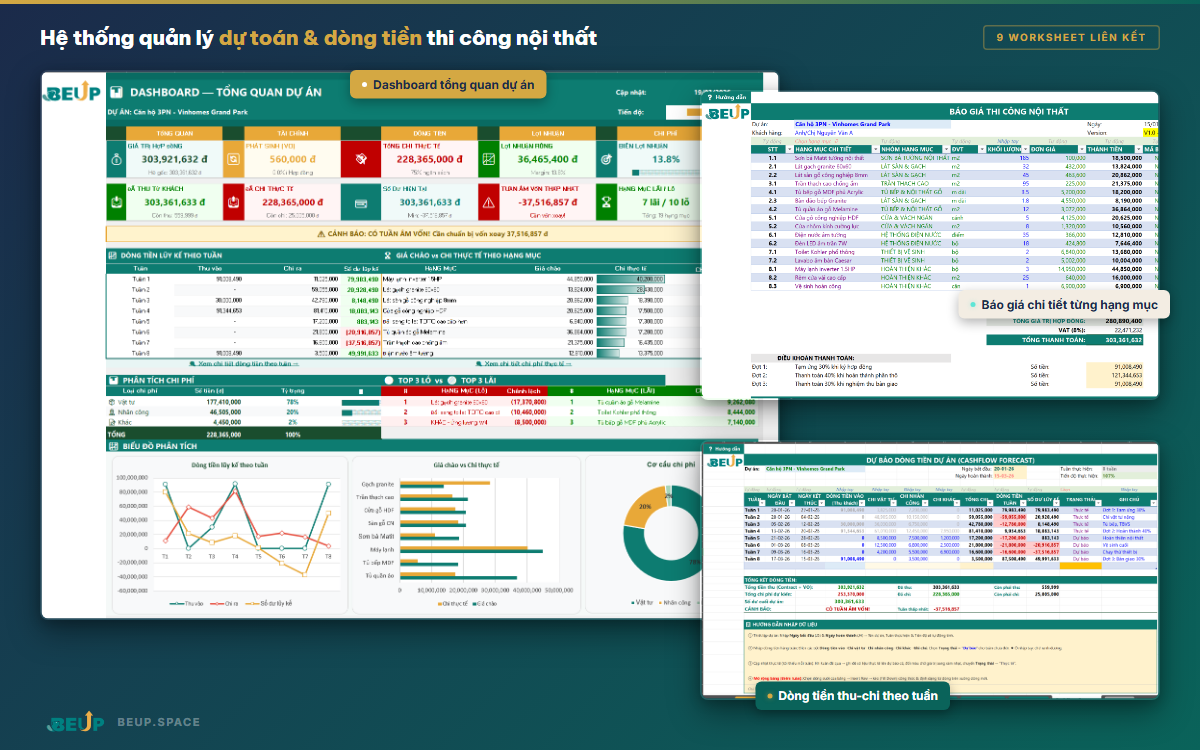
Let's get back to Mr. Tuan. After a 500 million VND project where he didn't know if he made a profit or a loss, he decided: for the next project, I have to do things differently. Not by buying expensive software, not by hiring an accountant. Just by moving from “keeping it in my head” to “recording it in a file with formulas.”
He spent an afternoon setting up the file for the new project — a 350 million apartment. Each item was detailed: materials, labor, accessories. When a client requested a change in hinge type in the third week, he opened the file, entered the change, and immediately replied: “Certainly, madam, this part will increase by 1.8 million, I'll record it as a variation.” The client understood, agreed, and no one was upset.
Previously
After implementing a system
On the 3rd project after implementing a system, Mr. Tuan discovered something surprising: small accessories (hinges, drawer slides, glue, screws, cover strips) accounted for up to 7% of the total cost. In 10 years of working, he had never noticed this figure because it was scattered among hundreds of small items. With a system, these “leaks” immediately became apparent.
Practical Lessons LearnedThe greatest benefit isn't just the monetary savings, but the profound sense of assurance. When you know exactly where you stand regarding costs, you sleep better, make more confident decisions, and negotiate with clients using data instead of intuition.
If you've read this far and resonate with Mr. Tuan's experience, the good news is: you don't need to completely overhaul your workflow. Simply integrate a systemic layer into your existing processes. Begin with your very next project — setup can be completed in just half a day.
From the second project onwards, you'll have a template and reference unit price data — making estimation much faster and more accurate.
Yes — it's even more necessary because profit margins are thinner. An unexpected 10% increase on 150 million (15 million) could wipe out all profits. Knowing a week earlier could save the entire project.
Workers don't need to use it. You manage and update the file. Workers report materials and workdays via Zalo, and you input them into the system daily.
Yes. It's highly compatible. Multiple people can view it simultaneously, and data is automatically saved to the cloud.
After 2–3 projects, you'll have actual unit cost data. The variance between estimated and actual costs decreases from 20–25% to 5–8%.

Book a free consultation to explore how BEUP can transform your workflow.
Book a Consultation →Digital Asset Ecosystem & Operating System for individuals & teams.