No products in the cart.



Doanh Thu Đa Kênh & Thuế Cho Content Creator — Excel + BEUP Canvas
Price range: from 499.000 VND to 799.000 VND
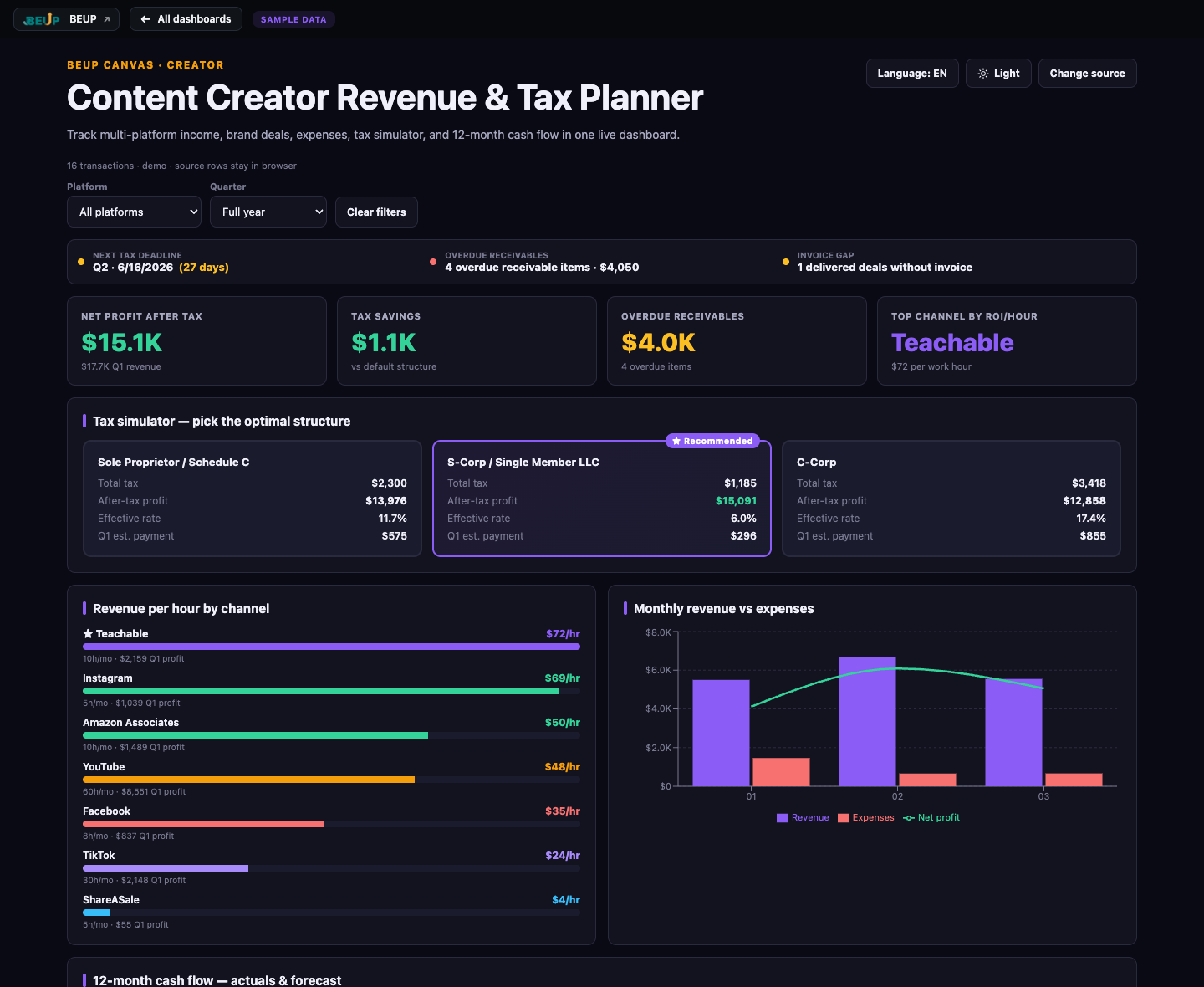
Excel + BEUP Canvas for multi-channel creators: track YouTube/TikTok/Affiliate/Sponsorship income, brand deal pipeline, production costs, tax simulation (Individual Business / Household Business / Limited Company) and 12-month cash flow. BEUP Canvas live dashboard helps quickly view post-tax KPI, filter by channel/quarter and switch VI/EN.
Sold: 0 items
Doanh thu Đa kênh & Thuế Cho Content Creator — Know exactly how much you earn each month after tax, which channel supports your income, which deals are waiting for payment, and how much tax you need to pay in advance for the next quarter — all in Excel and BEUP Canvas.
This system combines workbook Excel / Google Sheets to enter weekly transaction data with a BEUP Canvas live dashboard to view post-tax KPI on the web. You still own your data file; Canvas is a dashboard companion to present figures, filter by channel/quarter and switch language VI/EN when needed.
👉 Open the BEUP Canvas live demo
YOU GET 2 DASHBOARDS — POWERED BY THE SAME DATA
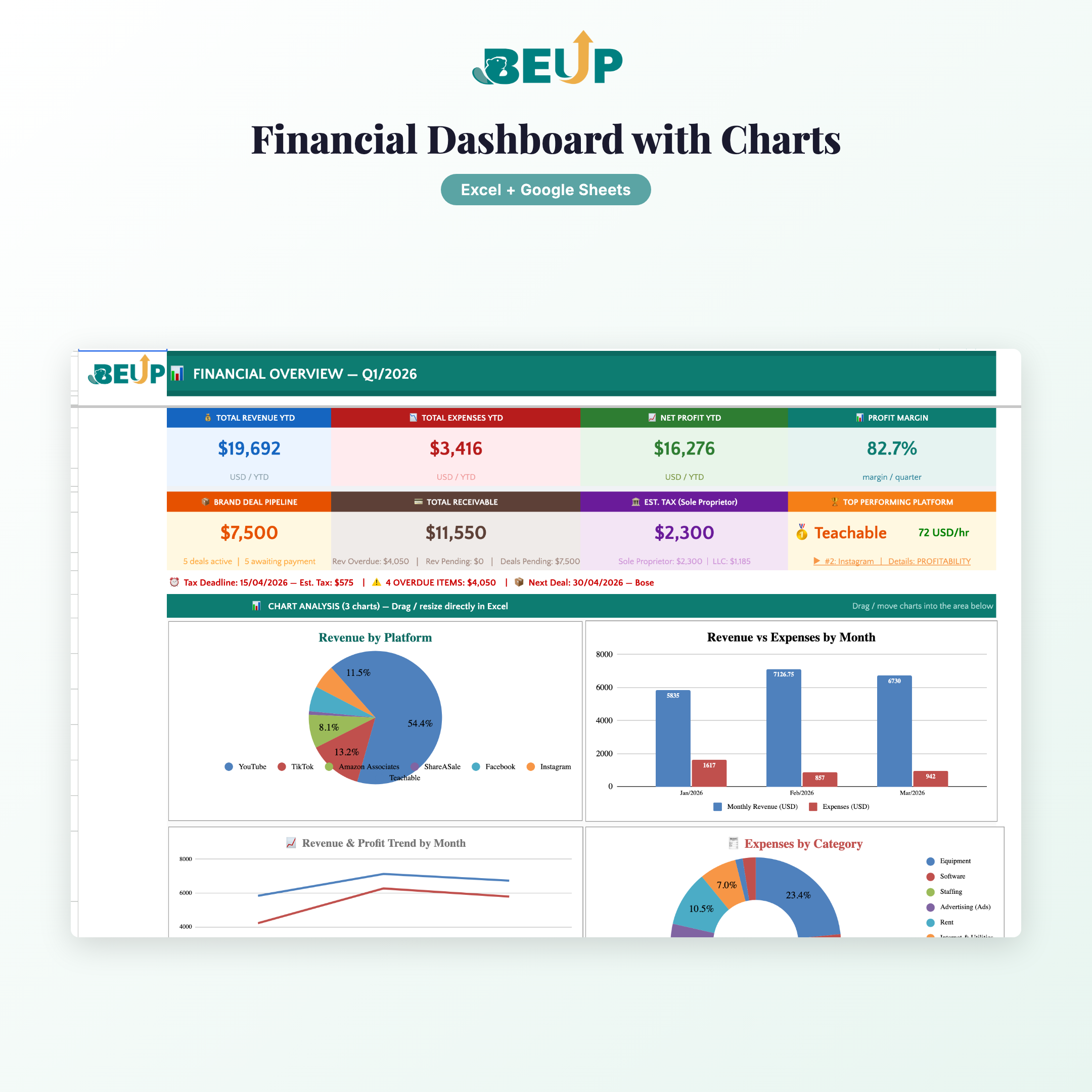
📊 Workbook dashboard
- Enter and save income, brand deal, and direct costs in Excel / Google Sheets files.
- Track multi-platform revenue, brand deal pipeline, costs, tax simulation, channel efficiency, and cash flow directly in your workbook.
- Suitable for offline work, personal backup, and formula editing when needed.
🌐 BEUP Canvas live dashboard
- Dedicated web interface at canvas.beup.space/content-creator-tax.
- View post-tax KPI, compare 3 tax options, hourly ROI per channel, 12-month cash flow, and brand deal pipeline in your browser.
- Filter by channel and quarter; switch between light and dark mode.
- Switch VI/EN; demo dashboard automatically changes to the correct sample data VI (VND, VN tax) or EN (USD, US tax model).
- Data processed in the browser; BEUP does not store your personal financial files.
KEY FEATURES (9 sheets)
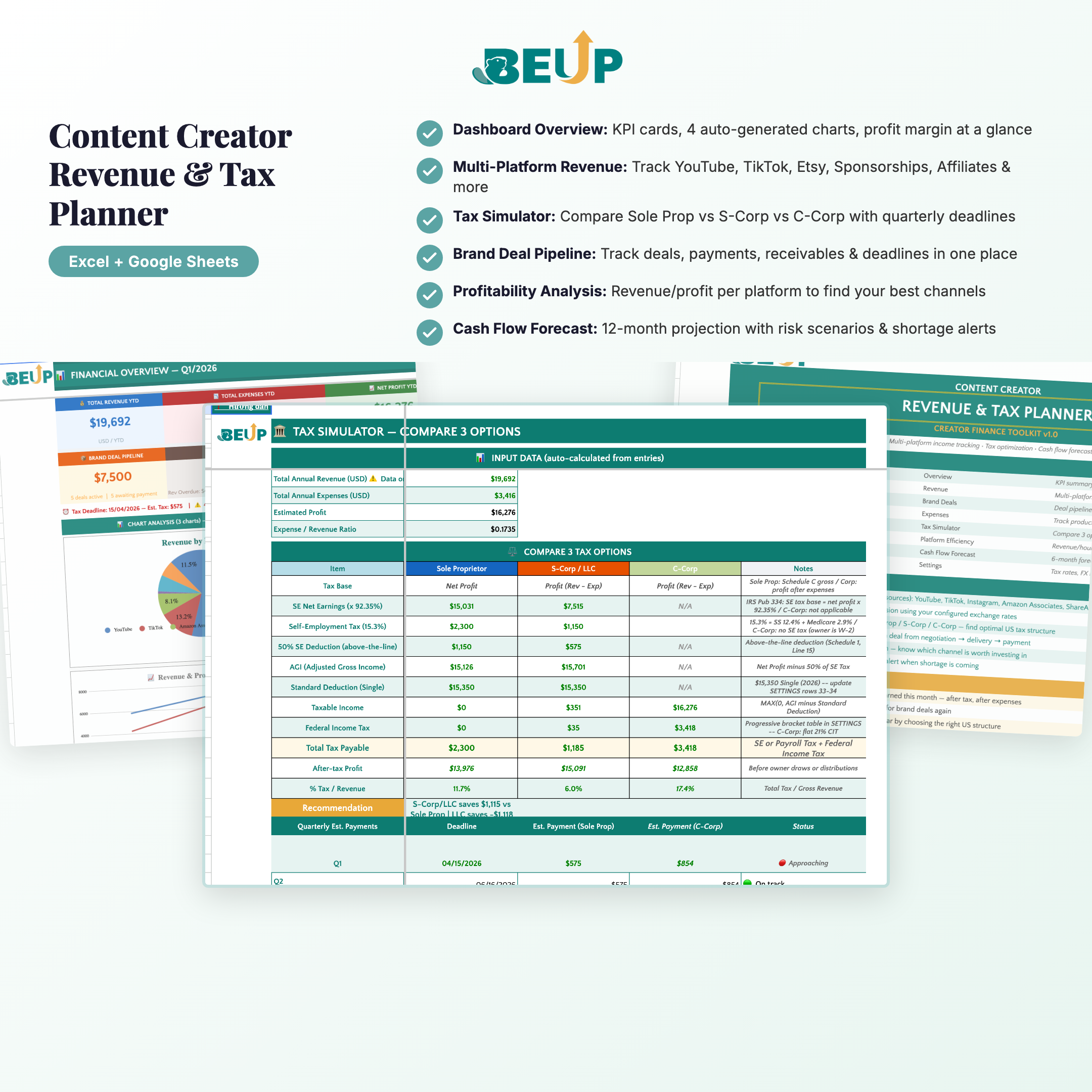
- Dashboard — Post-tax KPI overview: net profit, estimated tax, revenue chart by channel, tax deadline alerts.
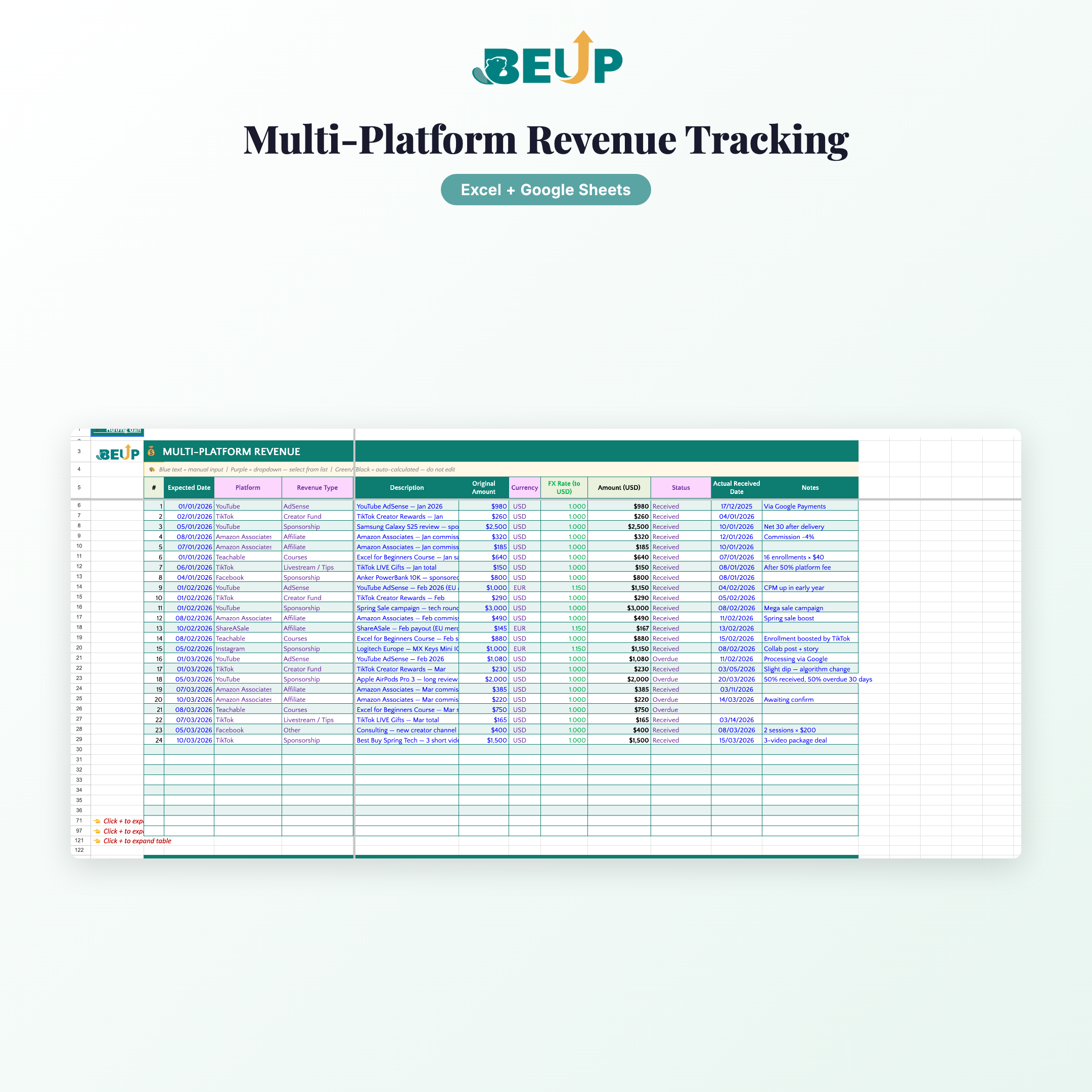
- INCOME / REVENUE — Record income from multiple platforms: YouTube, TikTok, Shopee Aff, Lazada Aff, Sponsor, Courses, Brand deal. Auto-convert USD/EUR/GBP to VND based on configured exchange rates.
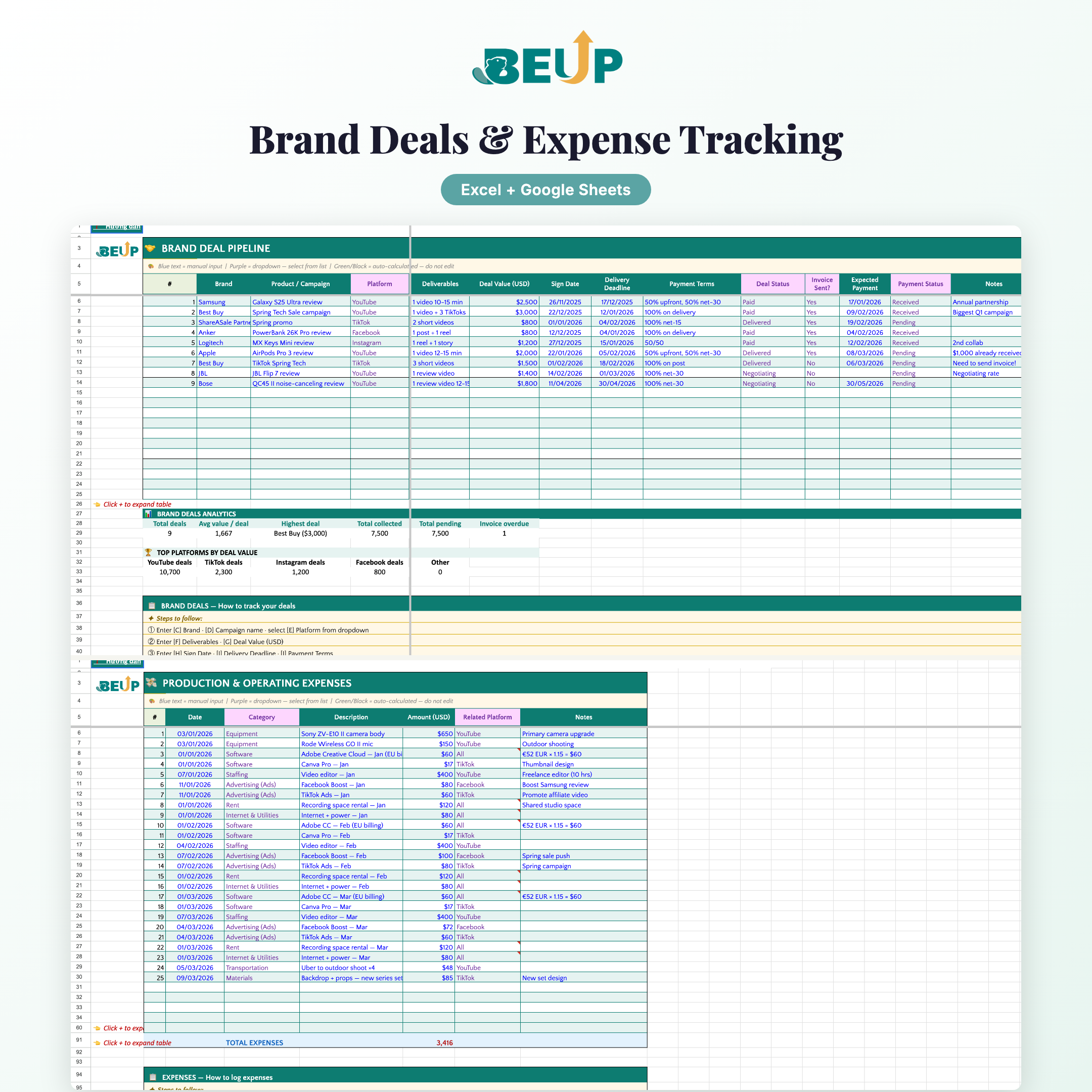
- BRAND DEALS — 5-stage pipeline: Contact → Negotiation → Contract signing → Delivered → Paid. Alert for delivered deals without invoices sent.
- EXPENSES / EXPENSES — Categorized expense book (Equipment, Software, Personnel, Advertising, Rent, Outsource). Link to channels for accurate ROI calculation.
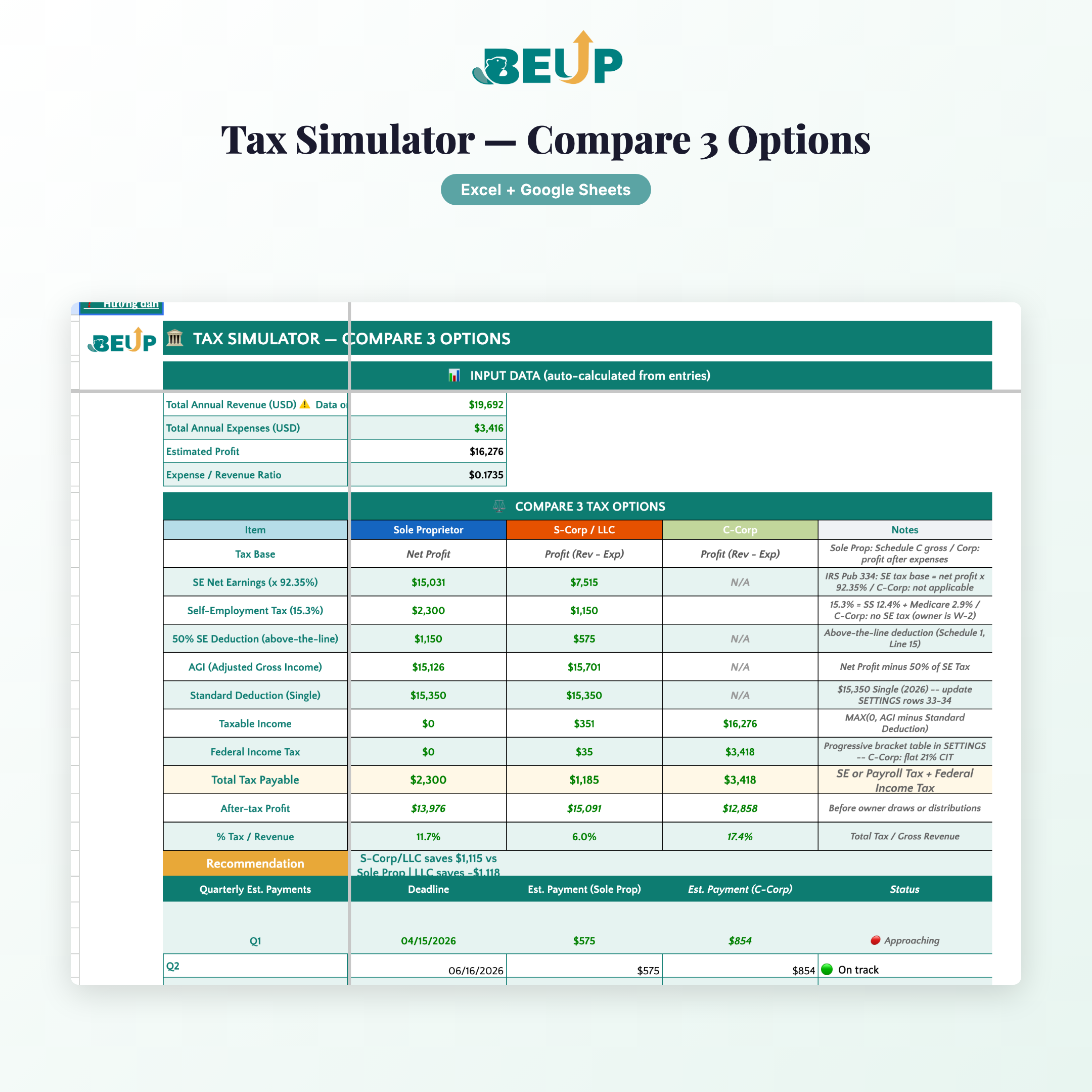
- TAX / TAX SIMULATOR — Compare 3 options: Individual Business (5% Revenue) · Household Business (5% Revenue) · Limited Company (8% VAT + 20% CIT). Temporary payment schedule: 30/4, 30/7, 30/10, 30/1.
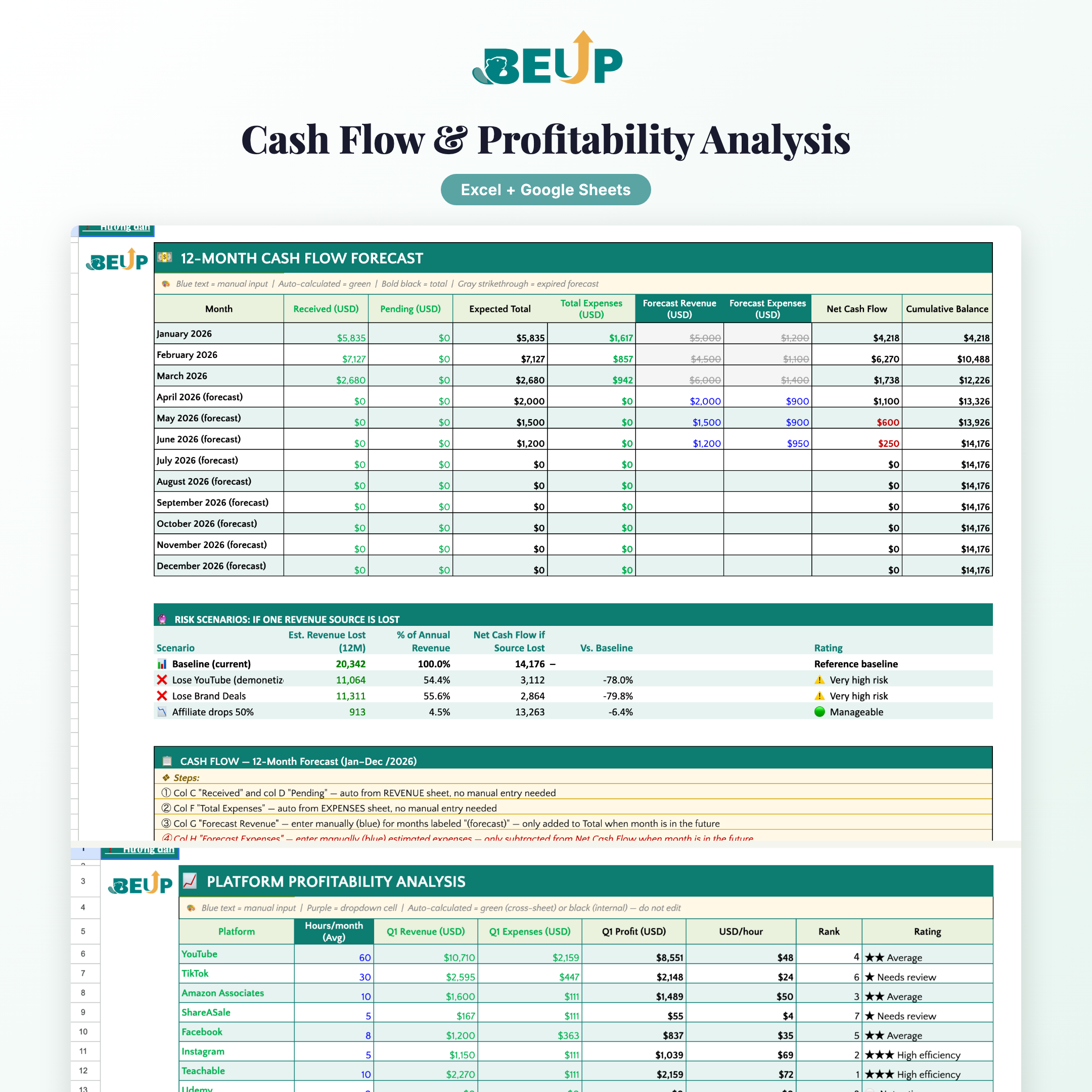
- EFFECTIVENESS / PROFITABILITY — Analyze time-based ROI: VND/hour for each channel, ranking, evaluation ★/★★/★★★.
- CASH FLOW / CASH FLOW — 12-month Forecast: received / pending / forecasted revenue · actual / forecasted expenses · net cash flow · cumulative balance · risk scenario if main channel is lost.
- SETTINGS — Tracking year, USD/VND exchange rate, channel list, income type, expense category, tax rate.
- HELPER — Internal calculation sheet — do not edit.
Design: Structured Tables with auto-expansion. Named Ranges. No macro/VBA required. Multi-currency with automatic conversion based on row-level exchange rates.
WHO IS THIS FOR?
- Creator earns income from 3+ channels — needs to know which channel supports themselves, which channel should be cut.
- YouTuber / TikToker / Podcaster has brand deals — needs pipeline to track deals, delivery deadlines, payment deadlines.
- Freelancer / KOL / KOC multi-platform — no personal accountant, wants to estimate taxes and decide on a plan.
- Creator is scaling 100M+ VND/year — is torn between Individual Business and Limited Liability Company; needs data to decide.
- small creator team — need a web dashboard to have quick financial meetings without opening Excel mobile.
Scale: Tracks 9+ revenue sources at the same time. No transaction limit.
WHAT'S INCLUDED?
- 2 Excel files — a blank Template and a Sample with Q1 2026 creator's real data.
- Both versions have Vietnamese (VND, Vietnamese tax) and English (USD, US tax) versions.
- 9 specialized sheets: DASHBOARD · REVENUE · BRAND DEALS · EXPENSES · TAX · EFFICACY · CASH FLOW · SETTINGS · HELPER.
- Tax simulator with 3 options and automatic recommendations.
- Warning for deals that have been delivered but no invoice has been sent (don't forget your money!).
- Multi-currency: automatic conversion of USD/EUR/GBP to base currency at row-level exchange rates.
- 12-month cash flow forecast with negative runway warnings.
- Access to the demo and companion dashboard on BEUP Canvas.
COMPARE WITH OTHER SOLUTIONS
| Criteria | BEUP Template + Canvas | Accounting software creator | DIY Excel File |
|---|---|---|---|
| Cost | ✓ One-time payment | ✗ $15-30/month | ✓ Free but takes 20+ hours to build |
| Tax simulator 3 options | ✓ Automatic | ~ Plan-dependent | ✗ Must know tax laws |
| Multi-currency auto conversion | ✓ Row-level FX | ~ Usually high package | ✗ Manual calculation for each transaction |
| Brand deal pipeline + invoice alerts | ✓ Has warnings | ✗ Need a separate CRM | ✗ Forget is lose money |
| Dashboard web (VI/EN) | ✓ Included with BEUP Canvas | ~ Usually only EN | ✗ Build it yourself |
| Works offline | ✓ Excel works offline | ✗ Internet required | ✓ There are |
| Support both VN and US taxes | ✓ 2 versions | ✗ Usually 1 market | ✗ Must self research |
HOW IT WORKS
- Open SETTINGS to select the tracking year, update USD/VND exchange rate and tax rate.
- Open INCOME to enter each income item (1 line = 1 transaction): date, channel, type of income, original amount, currency, payment status.
- Open BRAND DEALS to add new deals: brand, value, delivery deadline, payment deadline, status.
- Open EXPENSES to record production costs, software, personnel with related channels.
- Open EFFECTIVENESS to enter the average working hours per month for each channel.
- Open MONEY FLOW to enter forecasted income/expenses for upcoming months.
- Back to DASHBOARD or open BEUP Canvas demo to view post-tax KPI, next tax deadline and brand deals that need to send invoices.
SYSTEM REQUIREMENTS
- Minimum: Microsoft Excel 2016 or later.
- Recommended: Microsoft 365.
- Google Sheets: basic compatibility; some dropdowns or conditional formatting may need to be rechecked after upload.
- BEUP Canvas: Use a modern browser. Data is only processed in the browser — BEUP does not store your financial files.
FREQUENTLY ASKED QUESTIONS
Does BEUP Canvas replace the Excel file?
No. Canvas is a dashboard companion to quickly view post-tax KPIs on the web. Your Excel / Google Sheets file is still the place to enter and store your financial data.
When switching to EN, does the demo use the English sample file?
Yes. The EN version has a US tax model (Sole Proprietor / S-Corp / C-Corp) and a sample in USD; the VI version has a VN tax model (Cá nhân KD / Hộ KD / Công ty TNHH) and a sample in VND. The Canvas demo automatically changes the sample data when toggling between VI/EN.
How many income sources are supported?
9+ kênh đồng thời: YouTube, TikTok, Instagram, Shopee Affiliate, Lazada Affiliate, Sponsorship, Khoá học, Livestream Gift, Tư vấn… Có thể thêm kênh mới trong CÀI ĐẶT.
Does the file work on Google Sheets?
Yes. Upload to Google Drive, open with Google Sheets. Basic dropdown, formulas, and conditional formatting are preserved.
Is the tax simulator accurate?
This is an estimated reference based on the public tax rate. Before filing official taxes, please consult an accountant or tax authority.
Is financial data sent to BEUP?
No. The dashboard processes data in the browser. BEUP only serves the app, without storing your files.
Other questions? support@beup.space
Only logged in customers who have purchased this product may leave a review.
Related products
- Managing Multiple Airbnb Listings — Excel + Live Dashboard on BEUP Canvas0.00 out of 5Price range: from 499.000 VND to 799.000 VNDBuy Now This product has multiple variants. The options may be chosen on the product page
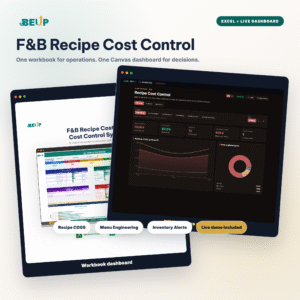
- F&B Recipe Cost Control — Excel + BEUP Canvas0.00 out of 5Price range: from 499.000 VND to 799.000 VNDBuy Now This product has multiple variants. The options may be chosen on the product page
- Construction Cost Estimation & Cash Flow – Accurate Interior Budget Management | Excel Template0.00 out of 5Price range: from 499.000 VND to 799.000 VNDBuy Now This product has multiple variants. The options may be chosen on the product page
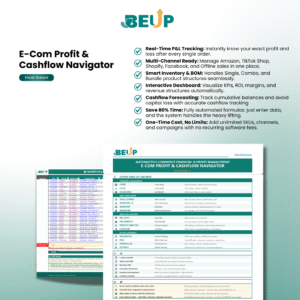
- E-com Profit & Cashflow – Order Tracking & Financial Management | Excel Template0.00 out of 5Price range: from 499.000 VND to 799.000 VNDBuy Now This product has multiple variants. The options may be chosen on the product page


A Digital Asset Ecosystem and Work Operating System for Individuals & Teams
SUPPORT
Copyright © 2026 BEUP Learning Solutions
MST: 3301755602
Reviews
There are no reviews yet.