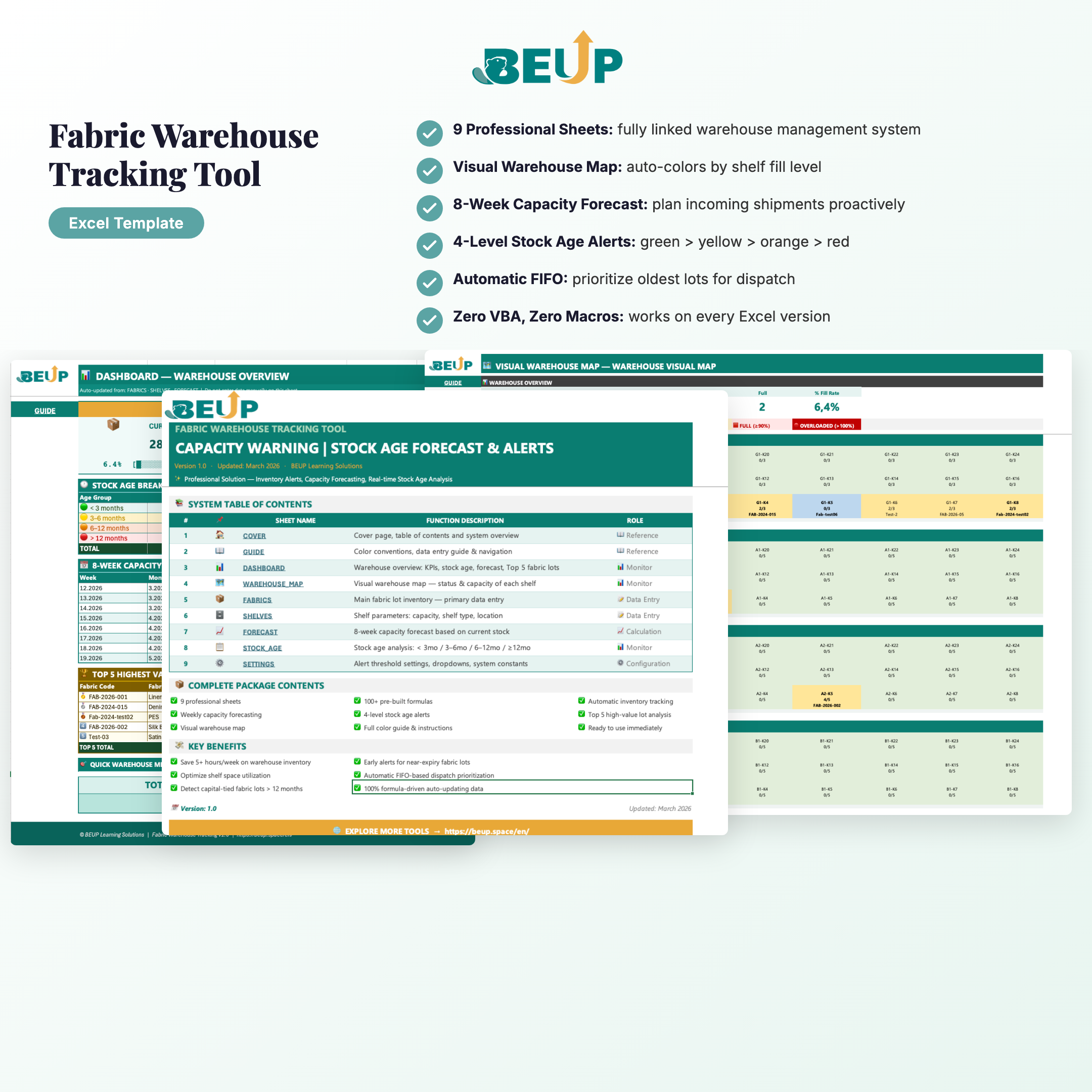
Fabric Inventory Management & Tracking Tool — A complete Excel system that helps manage fabric inventory by lot, monitors shelf capacity in real-time, and detects long-standing inventory before it ties up capital. Built from real-world fabric warehouse management processes in the textile and garment industry.
Solve common problems: manual inventory checks taking hours, not knowing which shelves are empty, fabric lots sitting in storage too long unnoticed, capacity forecasting based on… gut feeling.
KEY FEATURES (9 sheets)
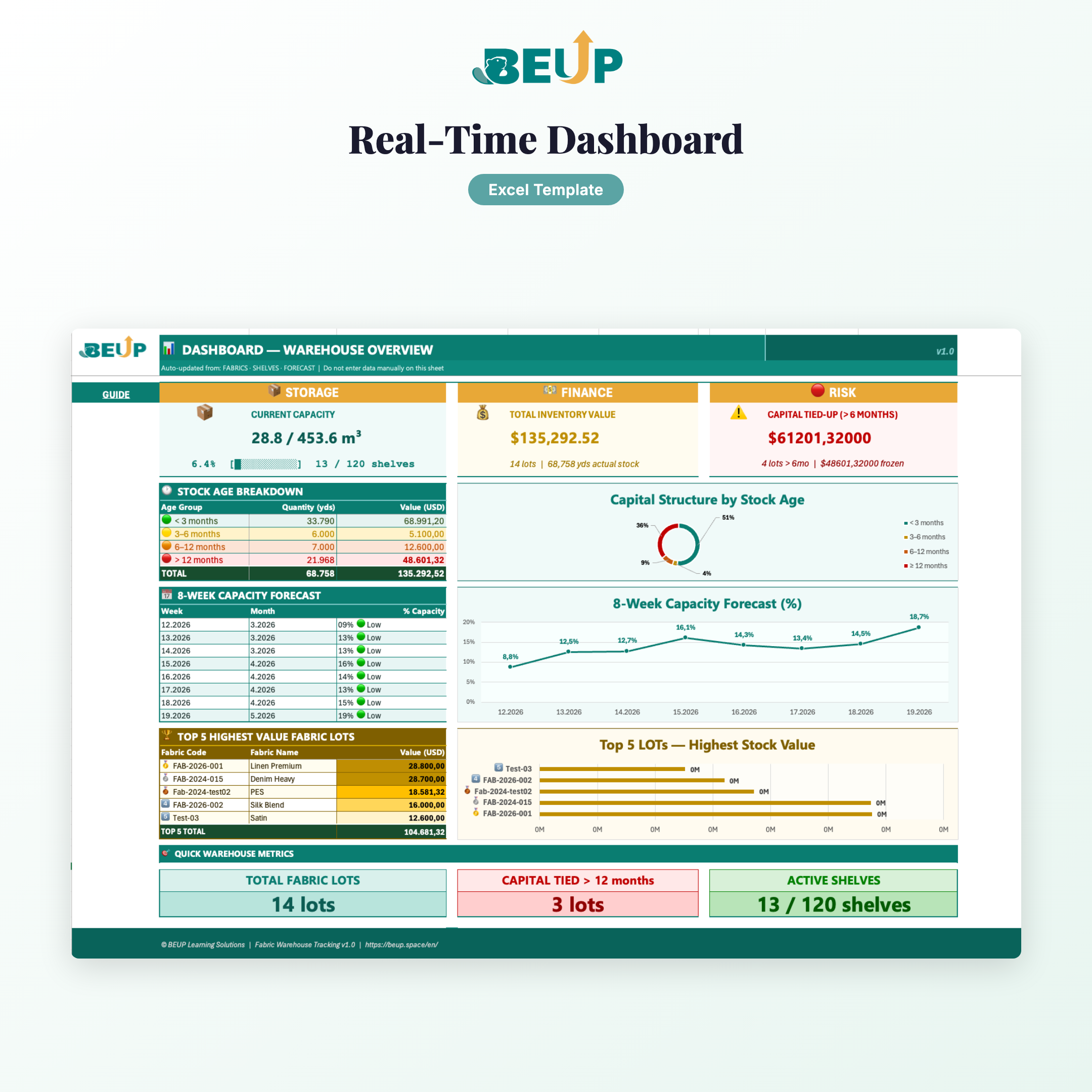
- DASHBOARD — Warehouse overview: KPIs, stock age, capacity forecast, Top 5 largest lots — 100% automated.
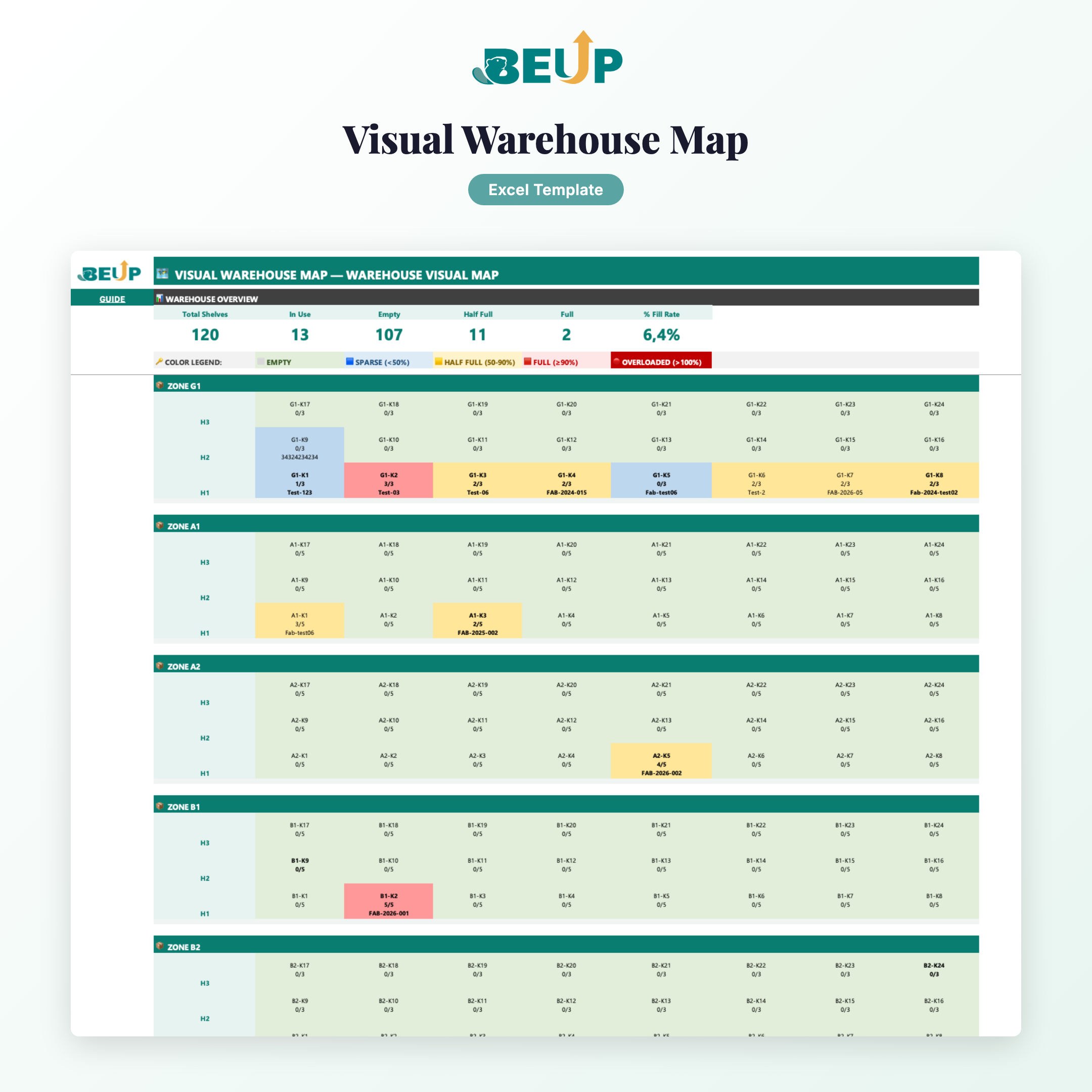
- WAREHOUSE_MAP — Visual warehouse map — auto-colors by shelf fill level.
- FABRICS — Main data entry — manage each fabric lot in detail, dispatch history up to 10 times.
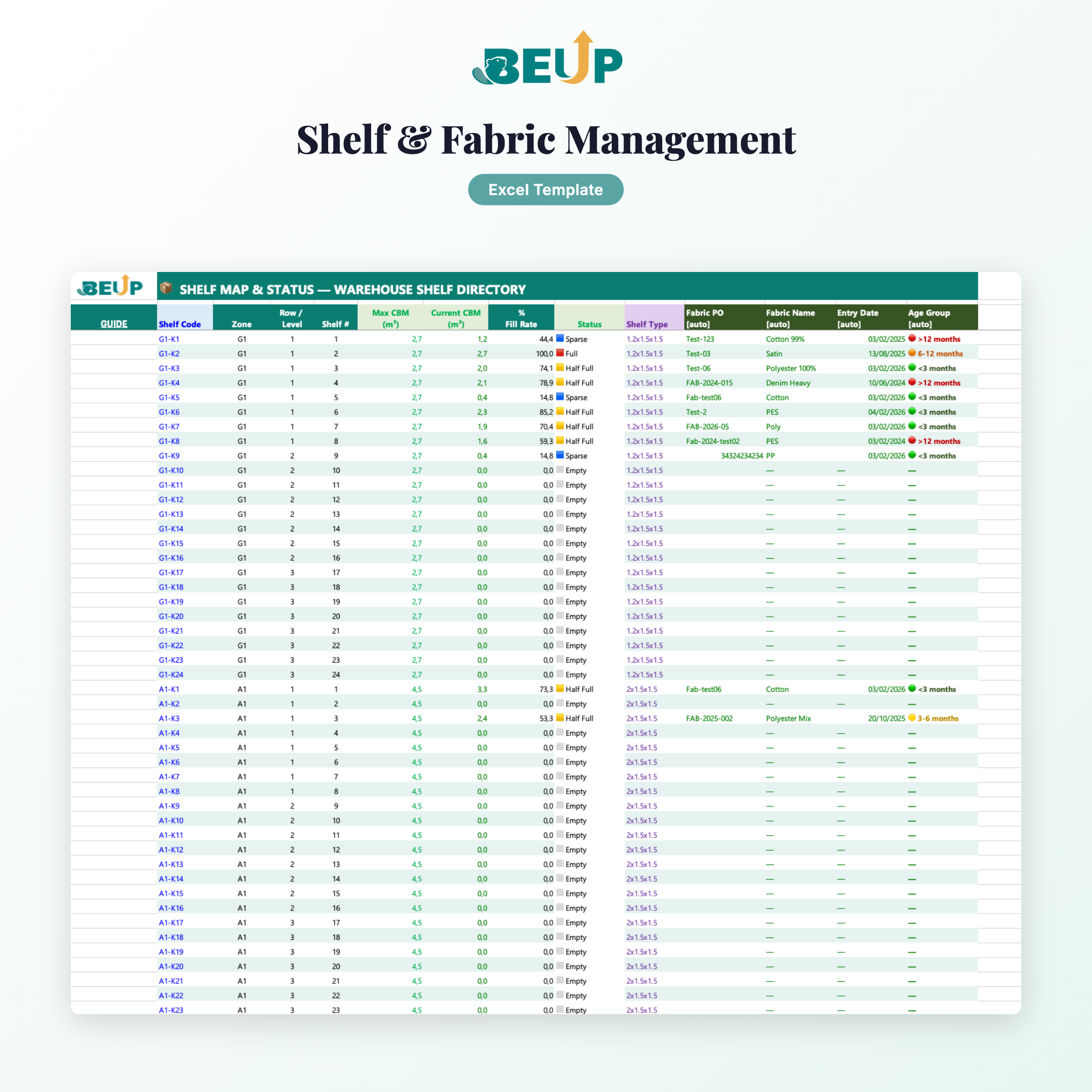
- SHELVES — Shelf catalog: capacity, shelf type, location — automatically calculate % occupancy.
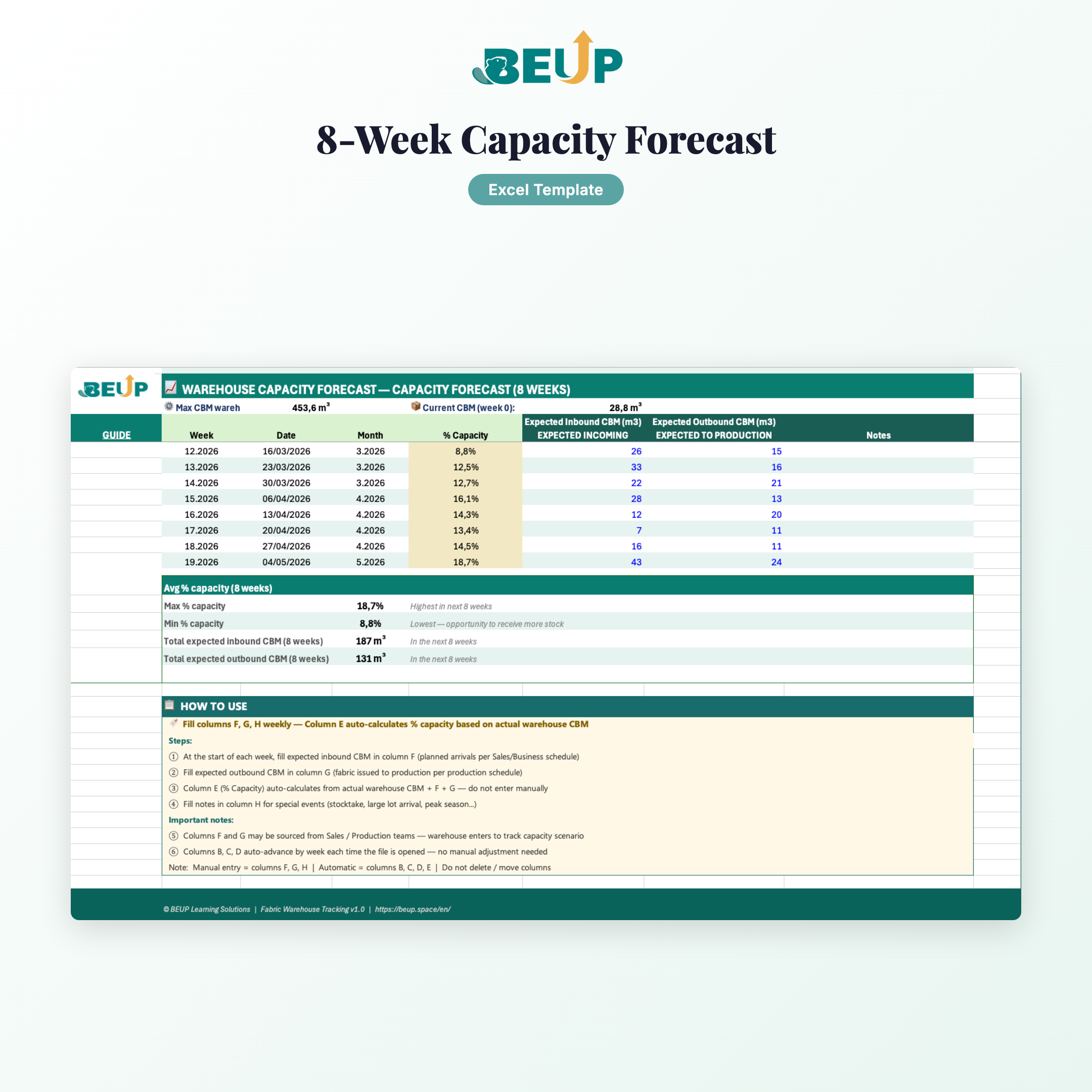
- FORECAST — Forecast warehouse capacity for the next 8 weeks based on actual consumption rate.
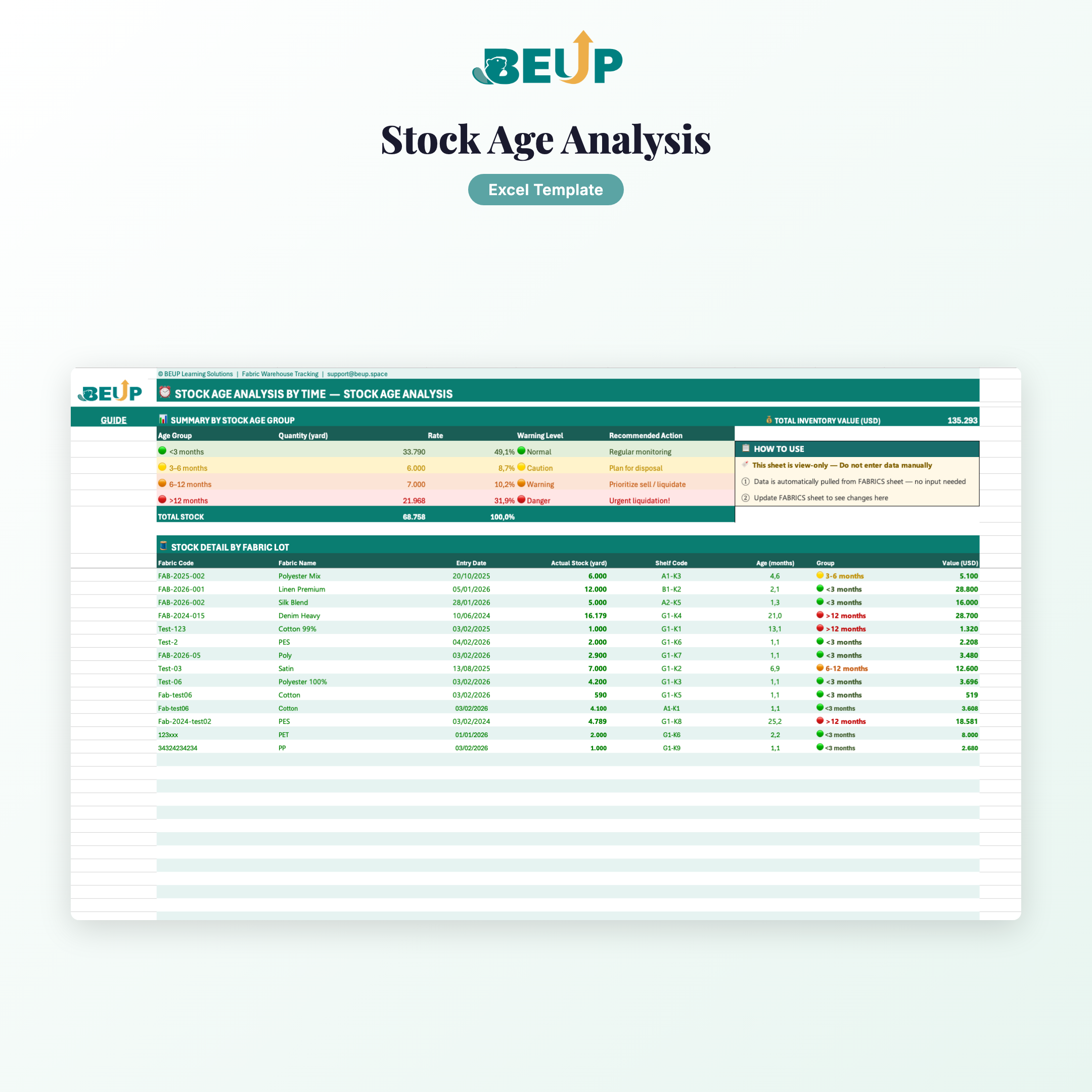
- STOCK_AGE — Stock age analysis: 12 months.
- SETTINGS — Set alert thresholds, dropdown lists — change in one place, update across the entire system.
- GUIDE — Detailed guide: color conventions, data flow, step-by-step workflow.
- COVER — Cover page, table of contents, system overview.
Design: 100+ automated formulas (SUMIF, XLOOKUP, INDEX/MATCH, COUNTIF, FORECAST), real-time linked data across sheets, zero VBA, zero macros.
WHO IS THIS FOR?
- Fabric Inventory Management — At garment factories, production workshops, material warehouses
- Logistics / supply chain staff — Textile industry
- Small business owners — Fabric business, wholesale and retail
- Students — Supply chain management / logistics professionals wanting to build systems on Excel
Scale: Fabric inventory ranging from dozens to hundreds of lots, across multiple shelves / various fabric types.
WHAT'S INCLUDED?
- 1 Excel file (.xlsx), no password lock
- 9 professional sheets, fully linked
- 100+ pre-configured automated formulas
- Sample data (14 fabric lots) for reference
- 4-level color-coded stock age alerts (green → yellow → orange → red)
- Automatic FIFO system — prioritize dispatching oldest lots first
- Smart shelf suggestions when adding new fabric lots
HOW IT WORKS
- One-time setup: Open SETTINGS → set alert thresholds. Open SHELVES → enter shelf list.
- Daily data entry: Open FABRICS → enter new lot info. Update quantities when dispatching.
- Tracking & Decision-making: View DASHBOARD + WAREHOUSE_MAP + STOCK_AGE — everything updates automatically.
COMPARE WITH OTHER SOLUTIONS
| Criterion | BEUP Template | WMS Software | DIY Excel |
|---|
| Cost | ✓ One-time payment | ✗ Monthly/yearly fee | ~ Free, but time-consuming |
| Ease of use | ✓ Familiar Excel | ✗ Training needed | ~ Depends on skill |
| Customization | ✓ 100% flexible | ✗ Limited | ✓ Fully customizable |
| Fabric-specific | ✓ Custom design | ~ Requires configuration | ✗ Build from scratch |
| Setup time | ✓ Immediate | ✗ 1–4 weeks | ✗ 2-4 weeks |
| Offline | ✓ Yes | ✗ Internet required | ✓ Yes |
SYSTEM REQUIREMENTS
- Minimum: Microsoft Excel 2016+ (Windows or Mac), 50MB free space
- Recommended: Excel 2021 or Microsoft 365, Full HD display
- Support: Excel for Web, Excel for Mac
- Not supported: Google Sheets, LibreOffice Calc
FREQUENTLY ASKED QUESTIONS
Are formulas protected?
Sheets are protected but you can remove protection (no password needed) to view and edit.
How many warehouses can this be used for?
Unlimited. Copy the file and rename for each warehouse.
Is there an English version?
Yes. Product includes both EN and VI versions, select when ordering.
Can I customize the colors and logo?
Yes, absolutely. The file is yours, feel free to customize it.
Technical support?
Free email support for the first 30 days.
Only logged in customers who have purchased this product may leave a review.





Reviews
There are no reviews yet.