No products in the cart.

4 min read
People often ask me: “How do you get your team to run on its own without having to remind them about everything?”
Honestly, I used to be that person too. Waking up and immediately messaging reminders. Coming home in the evening still checking who had done what. One day I counted — over 20 reminders in a single day. Reminding to send reports, reminding to reply to customers, reminding to issue invoices. Exhausting.
Then I realized: the problem wasn’t the employees. The problem was that I hadn’t built small business operating system for the team. I was doing the job that a good process could have done.
Below are a few things I’ve learned after years of trial and error. Not a perfect formula — because no two businesses are alike. But maybe it’ll give you some useful ideas.
Many people hear 'system' and immediately think of software. ERP, CRM, or something that costs a few hundred million. I used to think that way too. I once bought very beautiful, high-end management software. Used it for two weeks and then gave up. Because my team wasn't used to it, and I didn't have time to train them.
Then I realized: the system is not the tool. The system is how people know what they need to do, when, and without being reminded.
It's much simpler than you think.
I once wrote SOPs very seriously. Beautiful Word files, numbered sections, printed and bound with hard covers. Placed on the shelf. Then nobody ever opened them again.
That taught me one thing: a process that nobody uses is not a process. It’s just paperwork.
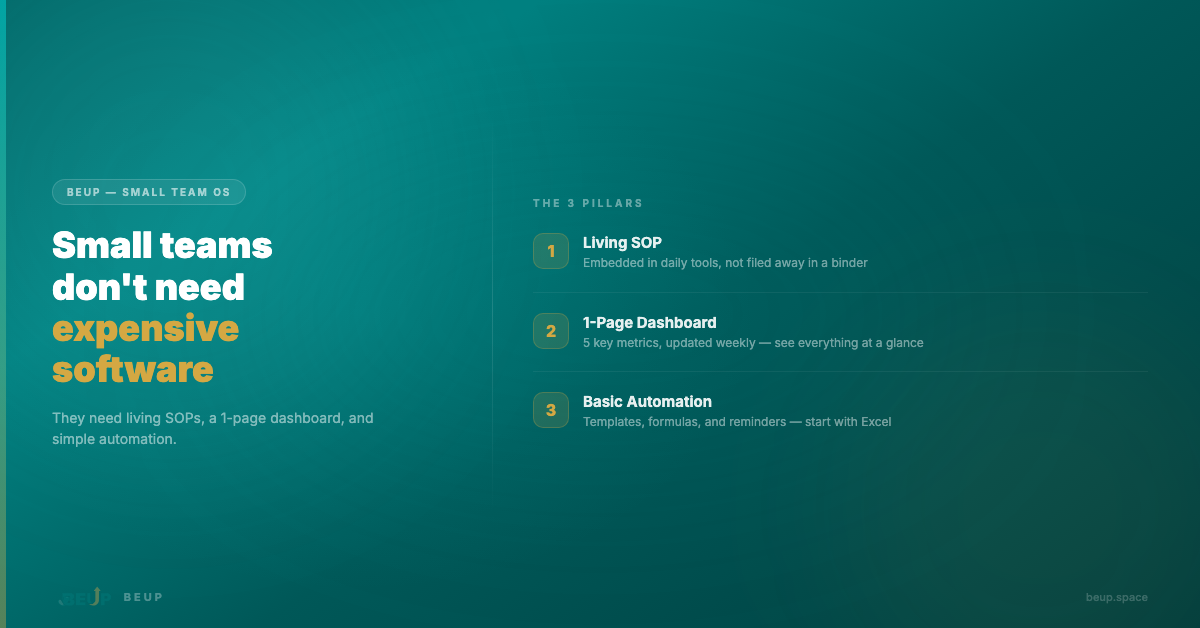
What I call a “living process” — it has to live right inside the daily work tools. Notion, Google Sheets, even Excel. Each step has a checkbox. Every day employees open it, follow along, and mark as done. When the process changes, edit it right there on the same file.
A shop owner in Da Nang told me: he only uses one Google Sheets file as a checklist for opening and closing the store. Eight employees, every day they open it and tick. After two weeks, he didn’t need to remind anyone. Because the process had become a habit.
A good process doesn’t need to be long. It needs to be concise, easy to follow, and most importantly — used every day.
In the beginning, every time I wanted to know the business situation, I had to ask the accountant, wait for staff to compile data, then wait two or three days to get the numbers. By then, the information was already outdated.
Then I tried something very simple: opened an Excel page, listed the five most important numbers. Weekly revenue. New orders. Overdue tasks. Customers to call back. Unexpected expenses. Updated once every Monday morning.
Nothing complicated. No Power BI, no Tableau. Just a single page where you can see the situation at a glance.
Sometimes, what you need isn’t more data. It’s less data — but the right data, in the right place.
When you hear “automation”, everyone thinks of AI, robots, or million-dollar software. I used to think the same. But in reality, what helped me the most was very ordinary.
An Excel file with formulas that automatically highlight orders approaching their deadline. Three pre-written email templates for the three most common situations — responding to new customers, payment reminders, and post-sale follow-ups. A weekly recurring Notion template for team meetings.
That’s it. And it saves four to five hours every week.
My rule: anything that repeats more than three times a week should be automated. Start small. One template, one formula, one reminder. Then scale up gradually.
There was a phase when I tried to build everything from scratch. Designed my own processes, created my own templates, figured out dashboard structures myself. It took a lot of time. And the results weren’t always good.
Later I realized: you don’t need to reinvent the wheel. There are frameworks that others have tested and refined. You just need to take them and adapt them to your team.
That's also why I built Small Team OS — a set of process templates, dashboards, and task tracking systems, running on Excel or Notion. Not complex software. Just a framework to help small teams start faster, instead of figuring everything out from scratch.
You can use it, or build your own. What matters is getting started.
Over the years, I went from reminding my team about everything — to having a team that knows what to do and runs on its own. Not because I got better. But because I sat down, wrote out a few simple processes, created a dashboard, and automated a few repetitive things.
It wasn’t perfect. It’s still not perfect. But it’s good enough that I’m no longer the full-time reminder person.
If you’re at that stage — waking up every morning and immediately messaging your team with reminders — I hope this article brings you a bit more clarity. Don’t wait until you’re “ready”. Just start with one small process. Then little by little, everything will be different.
For your own operations journey. Made for your small but passionate team.
Get insights on management, operations & digital assets delivered to your inbox.

Copyright © 2026 BEUP Learning Solutions
MST: 3301755602
Book a free consultation to explore how BEUP can transform your workflow.
Book a Consultation →Digital Asset Ecosystem & Operating System for individuals & teams.