No products in the cart.



10 min read
Opening a language center often starts with a passion for teaching. But after just a few months, the operator realizes they're spending most of their time on entirely different things.
Specifically: room scheduling conflicts, teachers asking how their salaries are calculated, parents messaging on Zalo to inquire about outstanding balances. Meanwhile, they themselves are wondering — which classes are profitable, and which are losing money?
This isn't a unique problem. This is an operational challenge that most language centers with 50–200 students face.
The solution is often piecemeal: an Excel sheet for scheduling, a ledger for tuition collection, a separate salary spreadsheet. They have all the files, but none of them communicate with each other.
This article shares specific pain points in managing a language center with Excel and a more systematic approach.
“I opened the center because I wanted to teach — but 70% of my time is spent on scheduling, calculating salaries, and chasing tuition fees. Many days, I no longer feel like a teacher.”
— A common saying in the language center management community
In this article
Imagine this: 5 classrooms, 10 teachers, and 20 classes running simultaneously. Each class has a fixed schedule. Each teacher has their own constraints — some only teach in the evenings, some cannot be scheduled for 2 consecutive shifts.
Additionally, classrooms vary in capacity — kids' classes need smaller rooms, IELTS classes require smart boards. All of this creates a complex combinatorial problem.
Normally, things run smoothly. But come Monday, a teacher calls in sick. The operator has to find a substitute teacher within a few hours.
Therefore, this is when everything starts to unravel. The available substitute is already teaching another class at that time. Or isn't familiar with the students' level. Or the classroom is already fully booked. The result: urgent rescheduling announcements, frustrated parents, and students missing classes.
Manual Scheduling
Systematic Scheduling
The core problem isn't a lack of information — it's scattered information. Everyone knows which teacher teaches which class, and which rooms are available.
However, when you need to quickly look it up in an emergency, there's no single place to look. That's the difference between with data and having a system.
Managing tuition fees might sound simple: tick off those who paid, remind those who haven't. But the reality is far more complex. Parents pay through multiple channels — bank transfers, cash, or via an app.
For example, some pay for an entire 6-month semester at once, while others pay monthly. Some new students receive discounts as part of promotional programs. All this information typically resides in: a Zalo group, a payment ledger, and the administrative staff's memory.
This leads to a problem that few recognize: the deferred revenue trap (deferred revenue). When parents pay 6 months of tuition fees at the beginning of a term, that money isn't actual revenue yet.
It is an obligation to provide future services. Only when the student completes that month of study do you “recognize” a portion.
Specific example: 90 million collected ≠ 90 million revenue
In September, the center collected tuition fees for the new term: 90 million VND from 60 students, who paid for a 6-month term.
If you can't distinguish between cash collected and actual revenue, you might mistakenly spend money that isn't yet yours to spend.
Beyond the deferred revenue trap, there's another common issue: unaccounted receivables.
Students who dropped out mid-term but haven't been refunded. Students with a partial tuition debt from the previous term. Students who registered for additional classes but haven't paid the extra fees. If these amounts are not tracked by the system, year-end summaries often don't reconcile.
And the operator doesn't know where the money “went”.
No industry has a compensation structure as complex as private foreign language education. A medium-sized center typically has 4 types of teacher contracts simultaneously:
| Contract type | Salary calculation method | Calculation challenges |
|---|---|---|
| Fixed monthly | X million/month regardless of the number of sessions | The simplest — but few teachers accept this type. |
| % of class revenue | 20–35% of tuition fees collected from assigned classes | Requires tracking actual tuition collected per class, per month. |
| Per teaching hour (hybrid) | Base salary + X thousand/hour × number of actual hours taught | Requires cross-referencing actual teaching schedules with registered shifts. |
| Progressive based on class size | Rate per hour increases with the number of students in the class. | Class size fluctuates when students join or leave mid-term. |
When there are only 3–4 teachers, manual calculation is still feasible. But when the center grows to 8–12 teachers with mixed contract types, everything changes.
The payroll spreadsheet becomes a complex matrix. A small error in the formula can lead to underpayment or overpayment — that no one immediately detects.
More importantly: Good teachers are extremely sensitive to salary.. A single miscalculation — even unintentional — can sow seeds of doubt about management's transparency. In an industry where good teachers always have many options, this is an unnecessary risk.
This is the most important business question — and often the most overlooked. The reason is simple: to answer it, you must allocate costs down to each class.
Specifically, you need linked data between class schedules (room hours occupied per class), payroll (teacher costs), and tuition fees (actual revenue).
When this data resides in three different files, aggregation is impractical. Or worse — partly in Excel, partly in a notebook. Most center owners operate by feel: “a full class is a profitable class”. But that's not true.
3 questions to instantly check your classes
For example, an IELTS class with only 6 students but an expatriate teacher, teaching in a large room — might be losing money despite high tuition fees.
Meanwhile, a basic communication class with 15 students, a local teacher, and a small room — turns out to be the most profitable class. Without linked data, you would never know this.
ClassPilot is designed for precisely this problem: language centers that are performing well academically but need to upgrade their management system. No need to spend tens of millions on ERP software or hire additional administrative staff.
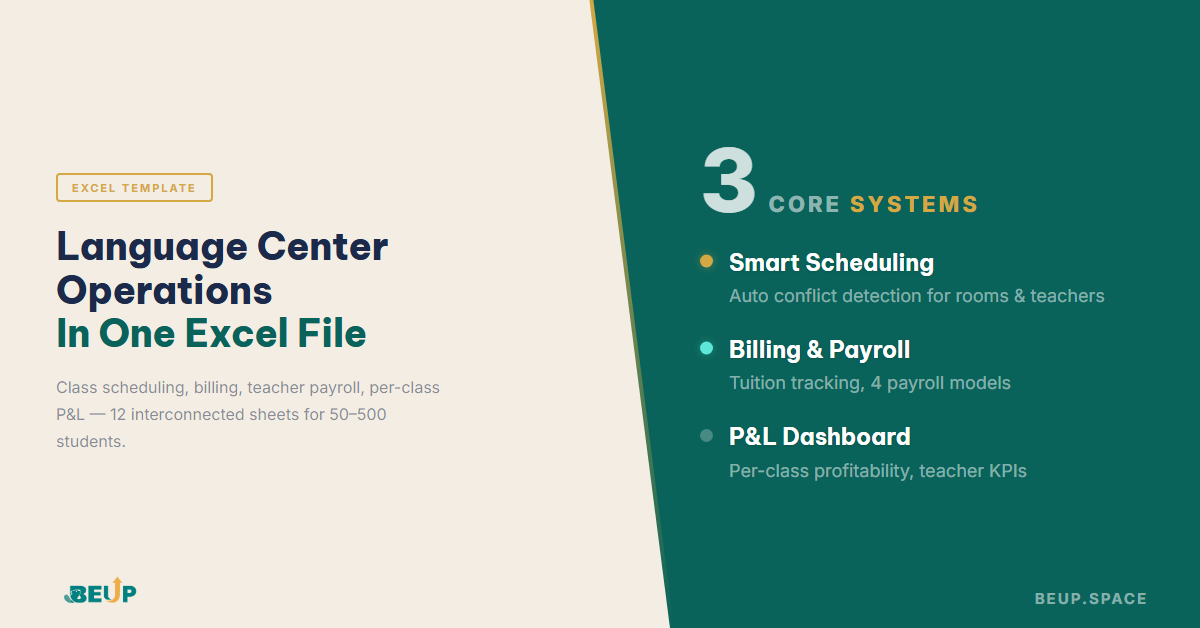
All operations are contained within a single Excel file, with 12 interconnected sheets. No VBA, no hidden macros. Just pure Excel formulas with a clear structure, verifiable and customizable by anyone with basic Excel knowledge.
6 Core Features of ClassPilot
ClassPilot is suitable for centers with 50–500 active students. ERP software is still too heavy and expensive, but fragmented Excel is no longer sufficient. It's a one-time price of 499.000đ, with no monthly fees, no internet dependency, and no limit on the number of users within the same organization.
See ClassPilot details and download it here →
Yes — in fact, this is the most ideal time to start. When you're small, setting up a system takes less effort, and foundational data will be clean from the start. By the time you grow to 150–200 students, your entire history will have been properly recorded instead of having to start over.
Yes. ClassPilot is designed with an open structure. You can adjust tuition fees, enrollment packages, and discount policies per class or by quantity. No programming knowledge is needed, just basic Excel. All formulas are visible and verifiable.
A pure Excel file works best when one person updates it at a time. This is a limitation of the Excel platform, not ClassPilot.
The most common approach is to save the file on Google Drive or OneDrive, assign specific sheets for updates, and synchronize at the end of the day. For centers with fewer than 300 students, this method is entirely workable.
ClassPilot does not replace specialized software for online attendance or parent communication via app.
However, ClassPilot excels at what student management software often lacks. For example: profit analysis per class, calculating salaries based on complex contracts, and tracking actual revenue. Many centers use both in parallel.
PROFESSIONAL TOOLS
Scheduling · Tuition & receivables · Teacher salaries · Profit per class
12 linked sheets · 100% Excel native · No VBA · Suitable for 50–500 students
"Work to Become, Not to Acquire" — a philosophy that prioritizes...
Apr 03, 2026Context switching costs you 23 minutes every time you switch tasks. With AI, the problem...
Mar 26, 2026Not knowing if you made a profit or a loss at year-end — that's not a tool problem...
Mar 19, 2026Get insights on management, operations & digital assets delivered to your inbox.

Copyright © 2026 BEUP Learning Solutions
MST: 3301755602
Book a free consultation to explore how BEUP can transform your workflow.
Book a ConsultationDigital Asset Ecosystem & Operating System for individuals & teams.