No products in the cart.



15 min read
A content strategist in Ho Chi Minh City shared that she uses ChatGPT an average of 40 times a day. She opens a new conversation to write a brief for client A, switches to another tab to research the market for client B, then returns to the old tab to edit a blog post for project C.
By the end of the day, she realized she had re-explained the project context at least 15 times to the same AI tool. Not because the AI was poor, but because her information organization forced each conversation to start from scratch.
This is more common than many think. A 2023 Microsoft study shows that knowledge workers switch between work windows an average of over 1,200 times a day.
According to Gloria Mark at UC Irvine, each context switch costs an average of 23 minutes to regain focus.
When AI is added to the workflow, this problem doesn't just persist; it multiplies. Each new AI conversation is truly a complete reset. The tool doesn't know what you're doing, what you've done before, or where you want to go.
This article isn't about writing better prompts. It's about something far more important than prompts: context management — the art of organizing context so that AI (and your own brain) can operate at their best, instead of constantly circling through fragmented conversations.
Table of Contents
Everyone has experienced this: You're writing an important email when the phone rings. You answer it for about 2 minutes, then return, but have to reread from the beginning to remember where you left off.
Cal Newport — author of Deep Work and a computer science professor at Georgetown — calls this phenomenon attention residue (attention residue). When you switch from task A to task B, a part of your mind remains “stuck” on task A. The brain has no clean way to reset.
The real cost isn't in the switching time, but in the diminished quality of thought at both ends.
With AI, this phenomenon has an even more troublesome variant. Every time you open a new conversation, you have to re-explain what project you're working on, for whom, what the goal is, and what you've already tried.
You're not just losing time. You're rebuilding the entire context from scratch, both for the AI and for yourself.
Each time you rebuild, you lose subtle details accumulated from previous conversations. Specifically, this includes the phrasing AI has understood, the directions explored and discarded, and the implicit decisions no one had time to record.
For example, you're researching content strategy for the next quarter. The first conversation with AI analyzed 50 old blog posts, identified 3 content gaps, and proposed 12 new topics.
The second conversation, in another tab, is refining the brand voice. The third is writing an outline for the first article.
Three parallel conversations, three completely separate contexts. None knows what the others have done. The result is that you become the interpreter between your own AI versions.
Context tax = time spent re-explaining context + lost information between sessions + cognitive cost to synchronize in your head. For advanced AI users, this tax can account for 30–40% of total interaction time every day.
Gerald Weinberg — author of Quality Software Management — once measured something quite surprising. When you work on 2 projects simultaneously, time isn't split 50/50 but is reduced to just 40% for each project, with 20% completely lost to context switching costs.
With 3 projects, each project gets only 20%. Nearly half the day's time evaporates into “remembering where I am.”
Therefore, if we apply these numbers to how you use AI — running 3 projects simultaneously on ChatGPT, for example — nearly half of your interaction time is spent reiterating context. Both for the AI, and for yourself.
Every AI model has a limit called context window — lượng thông tin tối đa mà mô hình có thể “nhìn thấy” trong một lần tương tác. Tùy mô hình, con số này dao động từ vài chục nghìn đến hàng triệu từ.
While it sounds expansive, in reality, the context window isn't the capacity you need to worry about. The real issue is how you organize the information within it.
The easiest way to visualize a context window is to think of a physical desk. You might have a 2-meter wide desk, but if it's cluttered with unsorted papers, you still won't find the document you need in 10 seconds.
John Sweller's research on cognitive load shows that human working memory can only effectively process about 4–5 chunks of information at once.
AI operates on a similar logic. No matter how large the context window, output quality significantly decreases when input information lacks clear structure.
So, the most effective AI users are often not those who write the longest prompts. They are the ones who design the best context. They know how to pre-determine what information to include, in what order, and at what level of detail.
In the AI community, this approach is being called context engineering. It emphasizes providing the right context rather than refining the wording in the prompt.
“The hottest new programming skill is not prompting, it’s context engineering — the art of providing all the right context at the right time to the model.”
— Andrej Karpathy, former Director of AI at Tesla
Princeton psychologist George Miller demonstrated in his classic study “The Magical Number Seven” that humans process information most effectively when it is grouped into meaningful units. This principle applies very directly to how you should organize context for AI.
For example, you need AI to write a pitch email for a new client. What most people do is paste the entire 5-page brief into the prompt, along with the communication history and the price list.
They hope AI will figure out the core message. The result is often a long, rambling email that doesn't know who it's talking to.
However, if you only send 3 lines — the goal is to upsell the premium package, the target audience is a CFO interested in ROI, and the tone is professional and concise — then AI returns a focused email on the first try. Less information, but the right information. That's context engineering in everyday practice.
Tiago Forte — author of Building a Second Brain — has a rather apt term for it. This personal knowledge management method is being adopted by over 500,000 people.
Ông không dùng từ “kho lưu trữ” hay “hệ thống ghi chú”. Thay vào đó, ông gọi second brain là structured external memory — meaning a system outside your brain that helps you store, organize, and retrieve information without relying on your memory.
Before the age of AI, the second brain primarily served a single purpose: to help you recall what you've read, thought, and learned.
However, in the age of AI, it gains an additional function that few immediately realize: providing context for AI. When you have a well-organized personal knowledge system, you no longer need to re-explain the context every time you start a new conversation.
You just need to point the AI to the right document, the right note, the right recorded decision. As a result, the AI can pick up where you left off.
There's a very useful principle from Niklas Luhmann's Zettelkasten system that you should apply. Each note should contain only a single idea and have clear links to related ideas.
This is precisely the structure that AI processes best. Instead of sifting through a 50-page document, AI only needs to review 5 concise notes. Each note covers a single topic, with clear links to each other.
Kết quả là AI “hiểu” nhanh hơn. Và bạn cũng kiểm soát được chính xác AI đang nhìn thấy gì.
PARA + AI — four layers of context:
Projects — ongoing projects: the primary context you feed to AI daily (brief, timeline, deliverables).
Areas — areas of responsibility: the foundational context AI needs to understand your role (brand guidelines, team processes, standards).
Resources — reference resources: additional context for in-depth exploration (research, case studies, frameworks).
Archive — archived: historical AI context is not visible unless actively retrieved.
David Allen — author of Getting Things Done — once said that “Your brain is for having ideas, not for holding them.”.
In the age of AI, this principle holds even truer in a way Allen couldn't have imagined. Your brain is also not the place to store context for AI.
If you keep trying to remember “what we discussed in yesterday’s conversation” — that’s precisely when you need an external system to do that work for you.
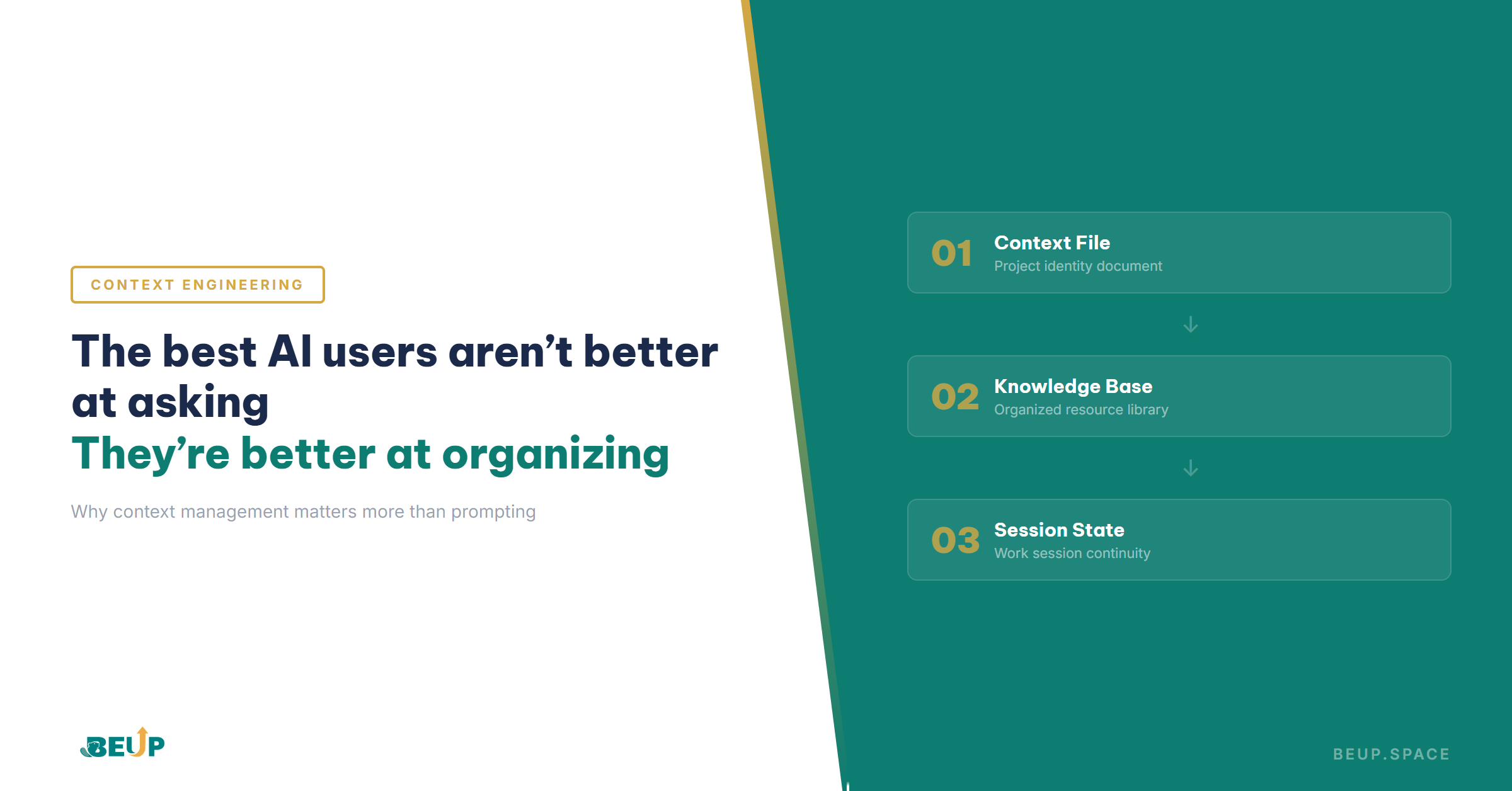
When working with AI on multiple parallel projects — content writing, market research, strategy development — a three-tiered structure significantly reduces the “restart” time for each session.
This isn't a theoretical framework. This is an organizational method adopted by many content teams and freelancers after encountering the exact problem of “re-explaining context every day” described in the beginning of this article.
This is a single, concise file (under 500 words) containing everything the AI needs to know to start working with you on a specific project. It includes project goals, target audience, tone of voice, decisions made, and key constraints.
Each time you start a new conversation, send this context file first. The AI goes from zero to 80% understanding in 10 seconds, instead of you spending 5 minutes explaining from scratch.
Specifically, when creating content for a brand, the context file includes brand positioning, 5 main keywords, target persona, a list of published content, and a summarized style guide.
This is a Notion, Obsidian, or Google Drive system containing more detailed documents, organized using the PARA or Zettelkasten method. The AI doesn't need to "see" the entire knowledge base. You only extract relevant sections when needed.
For example, a content strategist might have a "Brand Assets" folder containing 30 documents. But when asking the AI to write a blog post, they only need to pull out the 3 most relevant documents: editorial guidelines, keyword research for that topic, and the approved outline.
This is something few people think about but makes the biggest difference. You record somewhere (a short note, a comment in a file) what was completed in the previous session and what the next steps are.
When you return to the project after 2 days, instead of reopening an old conversation or starting a new one, you send the AI: context file (Layer 1) + session state (Layer 3).
The AI immediately knows where you are, what has been done, and how to proceed.
Practical example — 3-layer workflow:
You are working on the Q2 content strategy for an edtech startup.
Monday Morning: Open Claude → send context file “Q2-content-strategy.md” → request content gap analysis → AI outputs 12 topics. You record the session state: “12 topics generated, need to validate with GA4 data”.
Tuesday Morning: Open Claude → send context file + session state + GA4 data table (extracted from knowledge base) → AI filters down to 7 topics with search volume. Session state updates: “7 topics validated, need to write outlines for the first 3 articles”.
Wednesday Morning: Context file + session state → AI writes 3 outlines, knowing exactly which step it's on, without asking any follow-up questions. Total context reconstruction time: under 30 seconds per day.
This architecture simultaneously solves three problems. Each session starts faster because there's no need to re-explain. AI receives the necessary information instead of being overwhelmed by superfluous details. And you don't lose your workflow momentum between days.
Most people open ChatGPT and start with “I'm working on a project about…” then type 3–4 paragraphs of explanation. They repeat this every time, every conversation, every day.
There's a much simpler way. Write a context file of about 300 words just once, then send it at the beginning of each conversation.
AI will understand about 80% of the context in just the first 10 seconds. You won't need to spend 5 minutes re-explaining each time. For a 4-week project, an initial 15-minute investment can yield 3–5 hours in return.
Context file template — 5 lines are enough:
Project: Q2 Content Strategy — Edtech Startup XYZ
Goal: Increase organic traffic by 40%, focusing on the keyword cluster “learn English online”
Audience: Working professionals aged 25–35, eager to learn but time-constrained, accustomed to using apps.
Tone: Professional yet approachable, non-academic, using everyday examples.
Decision Made: Not writing about IELTS (saturated market), focusing on business English + communication.
Constraints: 4 posts/month, 1200–1500 words each, published Wednesdays at 8 AM.
Most people end their AI sessions by closing the tab. Tomorrow, they reopen it and scroll back through 50 messages to find “where they left off yesterday”. Or, more simply, they start a new conversation and explain everything from scratch.
Additionally, there's a much better way. Before closing the conversation, ask the AI to summarize in 3–5 lines: what was done, what decisions were made, and what the next steps are.
Copy that summary into your notes, and tomorrow, send it back to the AI along with your context file. This takes only 30 seconds but creates continuity between sessions — something most current AI workflows completely lack.
Many people have a habit of starting a new conversation for each question, even when all questions belong to the same project. Each new conversation means the AI completely forgets everything prior.
If you maintain a continuous conversation, context accumulates with each interaction. The AI understands you more deeply after every exchange.
Moreover, only start a new conversation when the AI begins to show signs of “forgetting” the earlier parts of the conversation. At that point, a context file combined with the previous session's summary will help the new conversation catch up very quickly.
A very common mistake is simultaneously brainstorming 10 ideas, writing an article, and editing — all in the same conversation. The result is that the AI confuses discarded ideas with chosen directions. This leads to self-contradictory output.
Cal Newport in his book Deep Work offers a highly applicable principle here. Clearly separate one session solely for research and decision-making, then use another session solely for execution based on that decision.
When separated this way, the context window isn't diluted by outdated exploratory content. Consequently, the AI can focus precisely on the assigned task.
📌 Key takeaways
Start with a single project. Write a 300-word context file for that project, including goals, audience, tone, key decisions, and constraints.
Use this context file to initiate every AI conversation. End each session with a 3–5 line session summary. After 1 week, you will clearly see the difference — and naturally want to expand to other projects.
Notion is suitable for teams due to its good collaboration features and flexible database structure. Obsidian is suitable for individuals who want data control, as it supports linking between notes and local storage.
Additionally, Google Docs/Drive is suitable when simplicity and quick sharing are needed. The most important thing is not which tool — but having clearly structured information that can be quickly extracted when needed for AI.
Khi AI bắt đầu “quên” những gì bạn đã thảo luận ở đầu cuộc hội thoại — đó là dấu hiệu rõ ràng nhất. Cụ thể là AI hỏi lại thông tin bạn đã cung cấp, đưa ra gợi ý mâu thuẫn với quyết định trước đó, hoặc bỏ qua ràng buộc bạn đã nêu rõ.
At that point, start a new conversation with a context file + session summary from the previous session. AI will catch up in a few seconds.
The 3-layer architecture above — context file, knowledge base, session state — requires a platform for implementation. You can build it from scratch on Notion or Obsidian, or start with a pre-designed structure.
Practical Tools
Practical Knowledge Base — a Notion template designed using the PARA method. A ready-made structure is available for both personal and team knowledge management, optimized for context extraction when working with AI.
A small business operating system doesn't start with expensive software...
Mar 17, 2026Not knowing if you made a profit or a loss at year-end — that's not a tool problem...
Mar 19, 2026A small business operating system doesn't start with expensive software...
Mar 17, 2026Get insights on management, operations & digital assets delivered to your inbox.

Copyright © 2026 BEUP Learning Solutions
MST: 3301755602
Book a free consultation to explore how BEUP can transform your workflow.
Book a ConsultationDigital Asset Ecosystem & Operating System for individuals & teams.