No products in the cart.



7 min read
Short answer: Systematization is creating clear processes for each work step; automation is using technology to execute repetitive steps without manual intervention. The mandatory order: systematize first, automate second. If you automate a process that hasn’t been systematized, you’re just making chaos happen faster — more expensive and harder to fix.
A furniture store owner with 12 employees decided to buy CRM software after hearing advice that “automation will solve everything.” Three months later, the software sat unused — nobody used it, data entry was chaotic, and the sales process still ran on text messages as before. The problem wasn’t bad software. The problem was that before buying the software, the team had never sat down to define what the sales process consisted of, who did what, and what information needed to be recorded where. They tried to automate something that didn’t exist yet.
Article content
When a process is disorganized — no clear steps, no one in charge, no completion criteria — adding technology only amplifies the problem. Automated emails send the wrong content to the wrong customers. Automated orders are created but lack important information. Automated reports run weekly but no one reads them because the input data is incorrect from the start. Each error occurs faster, more frequently, and is harder to detect than when done manually.
Michael Gerber — author The E-Myth Revisited — observed that most small businesses fail not because of a lack of technical competence, but because the owner works trong on the business instead of in it on business. “Working in” means doing the daily work. “Working on” means building systems so the business can operate without depending on a single individual. Automation only has value when there’s already a system to automate — otherwise, you’re using technology to lock in bad habits.
Systematization is creating clear processes, structures, and work methods — requiring careful thought about each step, eliminating redundancies, and building a foundation for sustainable growth. Automation is using technology to perform repetitive tasks without manual intervention — saving time and reducing errors.
These two concepts complement each other but cannot be reordered. Systematization answers the question “what do we do, in what order, and who is responsible.” Automation answers the question “which parts of the clearly defined process can be handed to machines.” A coffee shop with 8 employees doesn’t need automatic inventory management software — but it does need a checklist specifying who checks inventory on which day, what the reorder threshold is, and who receives the report. When that checklist has run smoothly for 2-3 months, then consider automating reminders and ordering.
Sam Carpenter — author Work the System — estimated that 95% of activities in a small business are repetitive processes. The problem is most of those processes exist only in the heads of the people performing them, undocumented and unstandardized. The first step of systematization isn’t buying software — it’s writing down what you’re already doing.
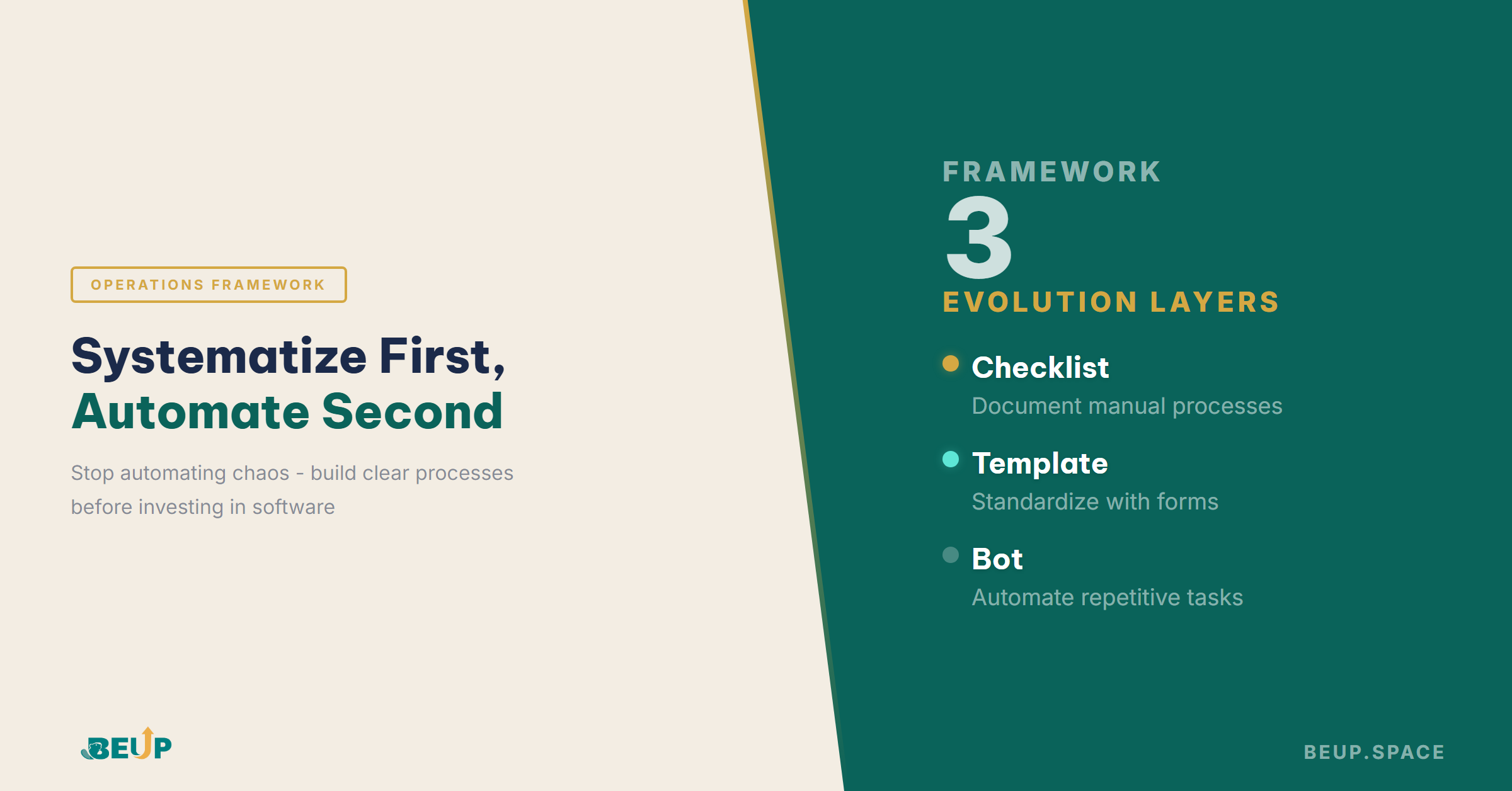
Layer 1 — Checklist: write out the manual steps, with someone to verify. Layer 2 — Template: standardize inputs and outputs with ready-made templates (forms, spreadsheets, email templates). Layer 3 — Bot: hand repetitive parts to software for automatic execution (auto-notification, auto-report, auto-routing).
This framework helps avoid the most common mistake: jumping straight from "nothing" to "everything" too quickly.
Atul Gawande — surgeon and author The Checklist Manifesto — proving that even in surgery, where everyone is an expert, a simple checklist reduced complications by 36% and mortality by 47%. In small businesses, where employees often wear multiple hats and receive limited formal training, checklists aren’t tools for the incompetent — they’re the foundation for consistency.
Before opening your wallet for a new software subscription, these three questions are worth more than any tech review article. The first question: has this process been documented? If the answer is “it’s in person A’s head” or “everyone already knows,” then the next step isn’t buying software — it’s spending 2 hours writing the process down. The second question: which part is most repetitive and time-consuming? Not everything needs automation. Only tasks that repeat at least 3 times per week, each taking over 15 minutes, with standardized inputs and outputs are worth considering. The third question: if automated, who monitors when the system fails? Every automated system needs someone who understands the logic behind it — if nobody does, when errors occur, the damage will be far greater than doing things manually.
Summary: Systematize first, automate second. Write your processes on paper before opening your wallet for software. Only automate tasks that repeat with clear inputs and outputs, and always keep someone who understands the logic to monitor when the system fails.
Peter Drucker once distinguished: efficiency is doing things the right way (optimal use of resources), effectiveness is doing the right things (achieving the right goal). Automation is a tool for increasing efficiency — it helps you work faster, more accurately, with less effort. But if you’re automating a process that doesn’t need to exist, you’re being extremely efficient at wasting. A business sending 500 automated marketing emails per week sounds very efficient — until you realize the open rate is below 3% because the content doesn’t match the audience. The problem isn’t slow or manual emails — the problem is sending to the wrong people, with the wrong content, at the wrong time.
Systematization forces you to answer the effectiveness question first: does this need to be done, does it align with the goal, does it serve customers the right way. Only when you’ve clearly answered “yes” does the efficiency question matter: how to do it faster, with fewer errors, using fewer resources. Reversing these two questions is the most costly mistake small businesses make when starting their digitization journey.
📌 Key Takeaways
BATTLE-TESTED TOOL
BEUP — Operating System for Small Businesses
Systematize before you automate — BEUP provides process templates, operations checklists, and management frameworks for small teams, helping you follow the right order: clarity first, speed second.
Systematization is creating clear processes, structures, and work methods — focusing on logic and step sequences. Automation is using technology to execute repetitive tasks without manual intervention — focusing on speed and error reduction. Systematization must come first, automation second. You cannot automate a process that hasn’t been clearly documented.
Start with a manual checklist: write out each step of your most important process (sales, order processing, employee onboarding). Run the checklist for 2-3 months, standardize with templates (forms, spreadsheet templates). Only after the templates run smoothly should you consider automating the most repetitive parts — prioritize tasks repeated at least 3 times per week, each taking over 15 minutes.
You should not automate when the process hasn’t been clearly documented, when no one on the team understands the logic behind it to monitor for errors, or when the task only occurs 1-2 times per month (the setup cost of automation exceeds the savings). Also avoid automating decisions that require human judgment — like handling complex customer complaints or negotiating contracts.
No. Systematization starts with paper, Google Docs, or free spreadsheets. Expensive tools are not necessary.
Efficient means doing things the right way — faster, less wasteful. Effective means doing the right things — achieving the right goal. Automation increases efficiency, but if you automate a wrong process (sending emails to the wrong audience, generating reports nobody reads), you’re being very efficient at wasting. Always ask “does this need to be done?” before asking “how to do it faster?”
References: Michael Gerber — The E-Myth Revisited (1995) · Sam Carpenter — Work the System (2009) · Atul Gawande — The Checklist Manifesto (2009) · Peter Drucker — The Effective Executive (1967)
Get insights on management, operations & digital assets delivered to your inbox.

Copyright © 2026 BEUP Learning Solutions
MST: 3301755602
Book a free consultation to explore how BEUP can transform your workflow.
Book a Consultation →Digital Asset Ecosystem & Operating System for individuals & teams.